
Build custom, structured Excel reports from monday.com board data and send them automatically to the right people on schedule.




The best monday.com Marketplace apps for extending your workflows
Compare useful monday.com Marketplace apps by the workflows they extend, from advanced forms and document generation to multi-board sync, time tracking, backups and more.

Table of contents
Use the navigation to quickly jump to your desired section and learn more about each topic.
monday.com already covers a wide range of workflows without requiring additional software. Marketplace apps become useful when you need more depth from an existing feature, functionality monday.com does not provide directly, or a closer connection with another system.
Rather than ranking unrelated apps from best to worst, this guide groups useful monday.com Marketplace apps by the problems they solve. Where several established options exist, we include multiple apps and explain how they differ.
At Gorilla Apps we also develop solutions and apps for the monday.com Marketplace, so we work with these kinds of workflow gaps ourselves. We have deliberately left our own apps out of this guide and focused on other active products in the ecosystem.
Overview
How we chose these apps
The monday.com Marketplace contains hundreds of apps, from small workflow utilities to products used by thousands of teams. For this guide, we focus on apps from Silver, Gold or Platinum monday.com Marketplace Partners. Partner tiers are awarded at vendor level and reflect commercial traction through monday.com's native Marketplace billing, together with program requirements around areas such as ratings, support and security.
We then evaluate the individual apps based on their usefulness, active development and how clearly they extend a monday.com workflow. This is not a ranking from best to worst. The right app depends on the workflow you are trying to improve, and several categories have more than one strong option.
1. Advanced forms
Use more advanced forms with monday.com
monday WorkForms already provides a flexible way to collect information and create structured workflows from form submissions. Enterprise accounts can also allow submitters to edit their previous responses. Marketplace form apps become more interesting when you need to work with existing monday.com records more broadly, use connected boards or advanced column types, create and edit subitems, or build a different form experience altogether.
SuperForm
by Spot-nik Platinum Marketplace Partner
SuperForm by Spot-nik is one of the more comprehensive options for extending forms directly inside monday.com.
Alongside creating new items, SuperForm can let external users update existing items and subitems through controlled links. It also works with connected boards, mirror and formula columns, supports conditional logic and can pull information from other boards into a form. Its newer AI builder can also create form structures and logic from a written description.
SuperForm is particularly interesting when the form itself is part of a more complex monday.com workflow rather than simply an entry point for new submissions. For example, a customer, supplier or employee can receive a link to review and update selected information without receiving access to the underlying board.
Google Forms Integration Plus
by Fantasy Media LTD Gold Marketplace Partner
Google Forms Integration Plus by Fantasy Media takes a different approach: instead of replacing Google Forms, it connects Google Forms more deeply with monday.com.
Responses can create monday items or subitems, and predefined logic can also use incoming responses to update existing records. This makes it useful for teams that already prefer Google Forms for surveys or data collection but want the resulting information to feed directly into their monday.com workflows.
The main distinction here is therefore not a more advanced monday form builder. It is the ability to keep Google Forms as the user-facing form while monday.com remains the system where the submitted data is managed and acted upon.
2. Document generation
Generate documents from monday.com data
Boards often contain the information needed for proposals, reports, agreements, certificates and other finished documents. The missing step is turning that structured monday.com data into something that can be shared outside the board. Document-generation apps approach this in different ways, from flexible template-based document creation to PDF generation and workflows where electronic signatures are part of the process.
DocuGen
by DocuGen, Inc. Gold Marketplace Partner
DocuGen is one of the most established document-generation apps for monday.com and provides a broad set of tools for turning board data into finished documents.
You can use your own Word templates, add placeholders for monday.com data and generate PDF or Word documents from items and subitems. DocuGen also supports Excel templates, filtered subitem tables, images, automated generation and document delivery by email. Its strength is the breadth of the workflow rather than one particular document type. A sales team might generate quotations, HR can create offer letters, and operations can produce reports or work orders from the same underlying approach.
DocuGen is a good starting point when you want a mature general-purpose document layer around monday.com rather than a tool built primarily around PDFs or signatures.
DocExport
by Tower Apps Ltd Gold Marketplace Partner
DocExport also uses customizable Word templates, but it is particularly strong when you need to turn either individual items or complete boards into branded PDF or Word documents.
An item-level template can produce things such as contracts, invoices, certificates or proposals. Board-level templates can turn a whole board into project reports, task lists, timesheets or other structured documents. Generated files can be stored in monday.com, emailed automatically and triggered by statuses, buttons, dates or new items.
That board-level capability makes DocExport especially interesting for recurring reports and formatted exports. Teams can also take existing business documents, replace static content with monday.com placeholders and retain the original branding rather than rebuilding the design in a proprietary editor.
GetSign
by Jetpack Apps Gold Marketplace Partner
GetSign combines document generation with an end-to-end electronic-signature workflow.
Documents can be populated from monday.com items and subitems using Word or PDF templates, stored back on the relevant item and sent for signature without leaving the monday workflow. It also supports multiple signers, signing order, external signing links, audit trails and automation. This makes GetSign particularly relevant when the generated document is only the beginning of the process. For example, a sales team can create a proposal from CRM data and immediately route it for signature, while HR can generate offer letters or NDAs and track their completion from the board.
If you mainly need document generation, the other apps in this section may be simpler fits. GetSign becomes especially interesting when creation, sending and signing belong in one workflow.
3. Advanced automations
Go beyond standard monday.com automations
monday.com automations cover a wide range of common workflows, including status changes, notifications, item creation and cross-board actions. More complex setups can become difficult when the logic depends on calculated or connected data. Formula columns, for example, cannot directly trigger an automation when their calculated result changes, while Mirror columns still cannot generally be used as automation triggers or conditions. Apps in this category add triggers and actions for some of these more specialized cases.
Autoboost Automations
by Boost Apps Gold Marketplace Partner
Autoboost Automations by Boost Apps is the broadest option in this group. It extends monday.com with additional automation blocks for formulas, mirrors, subitems and other workflows that are harder to build with the standard automation library.
For example, calculated or mirrored values can be used to drive actions, values can be copied between otherwise difficult column types, and more complex relationships between parent items, subitems and connected boards can be automated. Autoboost is particularly useful when the limitation is not one specific Formula column but a board architecture that relies heavily on connected and calculated data.
The app has also been updated to work with monday's newer Workflow Automation Blocks, so its additional triggers and actions can be combined with the platform's current workflow builder rather than relying only on older automation recipes.
Subitem & Mirror Automations
by Super Workday Silver Marketplace Partner
Subitem & Mirror Automations by Super Workday focuses on automation recipes for column types and structures that often require additional handling.
Its automation set covers Mirror columns and subitems as well as fields such as checkboxes, dropdowns and dependencies. This makes it useful when a workflow works well at the main-item level but becomes harder to reproduce once the same logic needs to react to subitems or mirrored information.
The app is therefore less about replacing monday's automation builder and more about adding missing building blocks to it. It is particularly relevant for project boards where parent items, subitems and connected-board data all influence the same process.
Formula Column Automations
by PickApps Silver Marketplace Partner
Formula Column Automations by PickApps has a narrower focus: making calculated monday.com data more useful inside automations.
Formula columns are read-only calculated fields. monday can now use formula values in some automation actions, but formulas still cannot directly act as triggers or conditions when the calculated result changes. Formula Column Automations addresses that type of workflow with additional formula-oriented automation capabilities. This is useful for cases such as triggering a process when a calculated budget crosses a threshold, a calculated date reaches a certain point, or another derived value changes.
Compared with Autoboost, it is the more focused option if Formula columns themselves are the main limitation you are trying to work around. The app remains actively maintained and is currently marked as an Editor's Choice listing in the Marketplace tracker.
4. Cross-board syncing
Keep work synchronized across multiple boards
Connect Boards and Mirror Columns already let monday.com boards reference and display information from one another. That works well when one board simply needs visibility into data stored somewhere else. The challenge becomes different when the same piece of work needs to actively live in several team workflows at once. Sales, delivery and management may each need the item on their own board, while updates should remain synchronized instead of creating disconnected copies. Several Marketplace apps are built specifically around that problem.
VLOOKUP
by Jetpack Apps Gold Marketplace Partner
VLOOKUP by Jetpack Apps is the most established and broadest data-linking option in this group.
It can automatically connect records across boards using matching values such as an ID, email address or item name, map fields between them and keep selected information synchronized as records change. Its automation triggers can react to items or subitems being created, changed or moved, as well as new updates. VLOOKUP also supports synchronizing items and subitems across multiple boards with two-way updates. That makes it useful not only for project tasks but also for setups such as a client master board feeding several operational boards, customer information shared between CRM and delivery, or inventory records that need to remain aligned across locations.
Its main distinction is flexibility. If your problem is broader than simply placing the same task on another board and includes matching, auto-linking and mapping records between different board structures, VLOOKUP is worth looking at.
Same Item Multiple Boards
by Pioneera Gold Marketplace Partner
Same Item Multiple Boards by Pioneera is more directly centered on one problem: letting the same piece of work appear in each board where a team needs it without maintaining independent copies.
Changes to synchronized columns and updates remain aligned across the boards, and the app also supports subitems. Items can be added to additional boards manually or automatically, including routing them into specific groups based on monday automation recipes. That makes the concept easy to apply to cross-functional work. A project deliverable can appear on the central project board, the responsible team's board and a client-specific board while each team continues working from its normal workspace.
Compared with VLOOKUP, the proposition is deliberately narrower and easier to understand: if your primary problem is that one item belongs in several boards, Same Item Multiple Boards is built specifically around that workflow. Pioneera continues to actively maintain the product in 2026.
5. Microsoft 365
Connect monday.com more deeply with Microsoft 365
monday.com already provides native integrations with Microsoft products such as Outlook and Teams. For many workflows, those integrations are enough. Organizations that rely heavily on Microsoft 365 may need a deeper connection, especially when monday.com workflows need to manage SharePoint files and folders, generate Microsoft documents, work with Excel data or trigger more complex Outlook processes.
Microsoft 365 SharePoint & Outlook integration
by David Simpson Apps Silver Marketplace Partner
Microsoft 365 SharePoint & Outlook integration by David Simpson Apps connects monday.com with SharePoint, Outlook, Word, Excel and other parts of Microsoft 365.
The app can create SharePoint folders from monday.com items and subitems, copy and manage files, generate Word documents and PDFs from board data, import or export Excel data, and send Outlook emails or create calendar events through automations and workflows. This makes it particularly useful when monday.com manages the workflow while Microsoft 365 remains the organization's main environment for documents, spreadsheets, email and calendars. The app also supports monday's newer AI functionality through Sidekick skills that can work with Microsoft 365 content.
For simpler Outlook or Teams workflows, monday.com's native integrations may already be enough. General automation platforms such as Microsoft Power Automate are another option when the requirement is broader system-to-system automation rather than a deep monday.com and Microsoft 365 workflow.
6. Time tracking
Add advanced timesheets and time approvals
monday.com already includes a native Time Tracking column for Pro and Enterprise accounts. Teams can start and stop timers, add entries manually, track time on subitems and report on tracked hours through widgets and dashboards. Marketplace apps become useful when time tracking needs to become a broader operational process with centralized timesheets, approvals, billable hours, capacity information or reporting across many boards and workspaces.
Tracket
by Avisi Apps Gold Marketplace Partner
Tracket by Avisi Apps turns time entries across monday.com into a more complete organization-wide timesheet workflow.
Users can log time directly against items and subitems, manually or with a timer, while managers can report across boards and workspaces rather than reviewing each board separately. Tracket also supports billable and non-billable hours, capacity management, reminders, exports and different timesheet views. A particularly strong part of Tracket is its approval process. Users can submit timesheets for review, after which authorized admins can approve, reject or reopen them. Teams can work through pending approvals, perform bulk actions and retain a history of the decisions made on each timesheet. Avisi substantially reworked this workflow in 2026, including removing the dependency on one fixed approver.
Tracket is therefore a good fit when time tracking is connected to processes such as invoicing, utilization or internal time control and you need more than a timer attached to individual tasks.
7pace Timetracker for monday.com
by Appfire Platinum Marketplace Partner
7pace Timetracker by Appfire also adds a centralized time-management layer to monday.com, with an emphasis on making detailed time data easy to capture and report on.
Time can be logged directly against items and subitems, while weekly, monthly and timesheet views provide a broader overview across workspaces and boards. Entries can include additional context such as billable status, activity type or client, and the resulting data can be grouped and filtered for project reporting, billing and planning. 7pace also supports time approvals, calendar-based workflows and comparisons between planned and actual effort. Time data can be exported to spreadsheets or written back to monday.com boards for further reporting and downstream processes. Its current Marketplace listing positions it around flexible timesheets, calendar integrations, approvals and project reporting rather than basic task-level timing alone.
Compared with Tracket, 7pace puts somewhat more emphasis on structured time data and reporting across projects, clients and other monday.com dimensions. Both are established options when the native Time Tracking column is no longer enough to manage time consistently across a larger team.
7. Reporting
Create automated and historical reports
monday.com already provides dashboards, charts and reporting widgets for analyzing current board data. The Data Over Time widget also adds historical reporting for selected column types, with up to six months of history on Pro and twelve months on Enterprise. A Marketplace reporting app becomes useful when you need more flexible historical queries, recurring reports or reports that can be shared outside monday.com without rebuilding the same dashboard each time.
Board Reports Automations
by Fantasy Media LTD Gold Marketplace Partner
Board Reports Automations by Fantasy Media is designed around creating custom reports from both current and historical monday.com board data.
Reports can be filtered using board values and conditions to answer questions such as how many items reached a particular status during a period, which tasks currently match a combination of criteria, or which records have not changed for a certain amount of time. Reports can then be automated and shared with people inside or outside monday.com. That makes the app particularly useful for recurring operational or management reporting where the output needs to capture more than the current state of a dashboard. For example, a team could regularly share progress, workload or status reports with stakeholders without manually rebuilding the underlying dataset each time.
monday.com's native reporting will be enough for many dashboard and trend-analysis use cases. Board Reports Automations becomes more relevant when reporting needs to be scheduled, distributed or queried against historical board activity with more flexible conditions.
8. Backups
Back up and restore monday.com data
monday.com regularly backs up the platform itself and retains those backups for 25 days. That protects the service as a whole, but some organizations also want their own backup history and the ability to restore specific boards, items or earlier versions of data themselves. Dedicated backup apps add that customer-controlled recovery layer with automated snapshots and granular restore options.
Rewind Backups for monday.com
by Rewind Software Inc. Silver Marketplace Partner
Rewind provides automated backups and recovery specifically designed for SaaS applications, including monday.com. monday itself officially recommends Rewind as an additional backup layer for Enterprise teams.
For monday.com, Rewind runs daily incremental backups and also allows on-demand backups. Workspaces, boards, groups, items and subitems can be backed up, and teams can restore individual records, complete boards or larger parts of an account to an earlier state. Backup versions are retained for one year, with the most recent version retained indefinitely while the account remains active. Rewind is particularly relevant for larger organizations that want a dedicated disaster-recovery layer around monday.com, including point-in-time recovery, account-wide restore options and an independently managed backup history.
As with any monday.com backup product, coverage is partly determined by what the monday API makes available. Rewind’s current documentation, for example, lists some column types as backed up but not individually restorable, while updates/comments are not backed up.
FAQ
Frequently asked questions about monday.com Marketplace apps
-
Marketplace apps are ready-made extensions that add functionality to monday.com. They can provide additional views, automations and workflow features, connect monday.com with other systems, or add capabilities designed around a specific use case. Apps in the Marketplace can be developed by monday.com itself or by third-party developers. monday reviews Marketplace apps for functionality and security before publication, but does not endorse or certify individual apps.
-
Do you need Marketplace apps to use monday.com?
No. monday.com already includes boards, forms, dashboards, automations, integrations, time tracking and many other native features. Marketplace apps become useful when a particular workflow needs more depth than the native feature provides, a specialized capability that is not available directly, or a deeper connection with another system. It generally makes sense to start with the workflow problem rather than installing apps simply because they are available.
-
What is the difference between a monday.com app and an integration?
An integration primarily connects monday.com with an external tool such as Gmail, Outlook or Slack so information and actions can move between the systems. A Marketplace app can do that too, but the term is broader. Apps can add new views, workflow logic, forms, document generation, data synchronization, reporting or other functionality directly inside monday.com. There is therefore some overlap: an integration can be delivered as an app, but not every monday.com app is an integration.
-
Are monday.com Marketplace apps included with a monday.com subscription?
Not necessarily. The Marketplace includes both free and paid apps, and paid app subscriptions are generally separate from your monday.com plan. Most paid Marketplace apps now use monday.com's own billing system, although some apps may still be purchased and managed directly through the app vendor. Pricing can depend on account size, features or usage, and many apps provide a trial before you subscribe. Because app subscriptions are separate, it is worth checking the current pricing and plan requirements on the Marketplace listing before choosing an app.
Conclusion
Finding the right monday.com app for your workflow
The best place to start is the workflow you want to improve. In many cases, monday.com's native functionality will already be enough. When it is not, the Marketplace can add deeper functionality, specialized workflows or tighter connections with other systems. That is why the useful comparison happens within each category rather than across every app in this guide.
As the Marketplace evolves, we will keep this guide updated with active apps from established monday.com Marketplace vendors.
All product names, media, screenshots, logos, brands, trademarks, and registered trademarks are property of their respective owners. All company, product, and service names used in this website are for identification purposes only.
Discover our tutorials, guides and
new updates for monday.com
- All
- Client Portal Builder
- Board to Website Widget
- Spreadsheet Gorilla
- Exported Excel Cleaner
How to create a self-service client portal with monday.com

Give clients one secure and dedicated place to find information, submit requests and manage their part of the workflow while your team keeps working in monday.com.
How to use monday.com boards in a client portal
Turn existing monday.com boards into client friendly portal pages and sections while keeping projects, requests, documents and other workflows organized for your internal team.
How to automate client portal workflows in monday.com
Connect client portal access to your monday.com workflow so client accounts, invitations and next steps can happen automatically as clients move through your process.
How to create personalized views in a monday.com client portal
Configure, publish and maintain one client portal for all clients while showing each stakeholder or external user only the monday.com items, pages and information relevant to them.
The best monday.com Marketplace apps for extending your workflows

Compare useful monday.com Marketplace apps by the workflows they extend, from advanced forms and document generation to multi-board sync, time tracking, backups and more.
How to manage client communication in a monday.com client portal

Keep client conversations connected to the right projects and monday.com items while giving clients one place for messages, feedback and files in a dedicated client portal.
The 6 best ways to build a client portal with monday.com

Compare six ways to build a client portal with monday.com and see how each approach handles client access, data separation, setup and ongoing maintenance.
How to create a weekly project status report from monday.com in Excel
Learn what a weekly project status report should include and how to turn monday.com data into a structured Excel workbook for recurring stakeholder reporting.
How to manage client approvals in a monday.com client portal
Give clients a dedicated and focused place to review and approve work while feedback, approval statuses and next steps stay connected to your internal monday.com workflow.
How to publish Confluence blog posts publicly

Are you looking for a way to publish Confluence blog posts for external readers? In this post, we’ll explore how to turn Confluence content into a public blog with Scroll Sites and blog themes.
How to let clients update monday.com items through a client portal
Let clients update selected and existing monday.com items directly from their client portal while your team keeps the underlying records and workflows in monday.com.
How to build a client portal with monday.com in less than 5 minutes
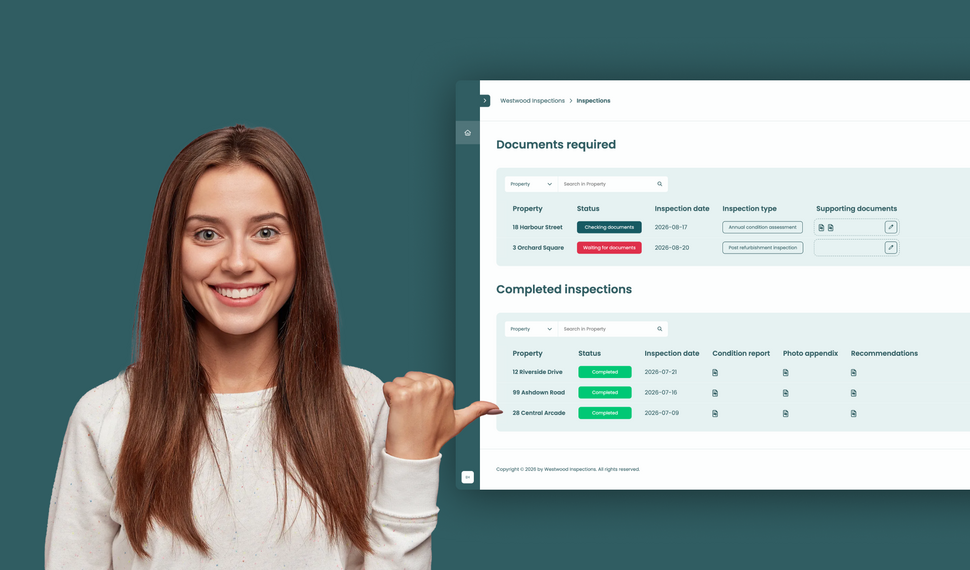
Learn how to build a simple file exchange client portal connected to monday.com, where clients can upload required documents, track inspection progress, and access completed reports.
How to collect client requests with forms in a monday.com client portal
Let clients or external stakeholders submit structured requests through forms in their monday.com client portal while your team manages every submission directly in your monday.com workspace.
How to build a client portal with monday.com for your agency
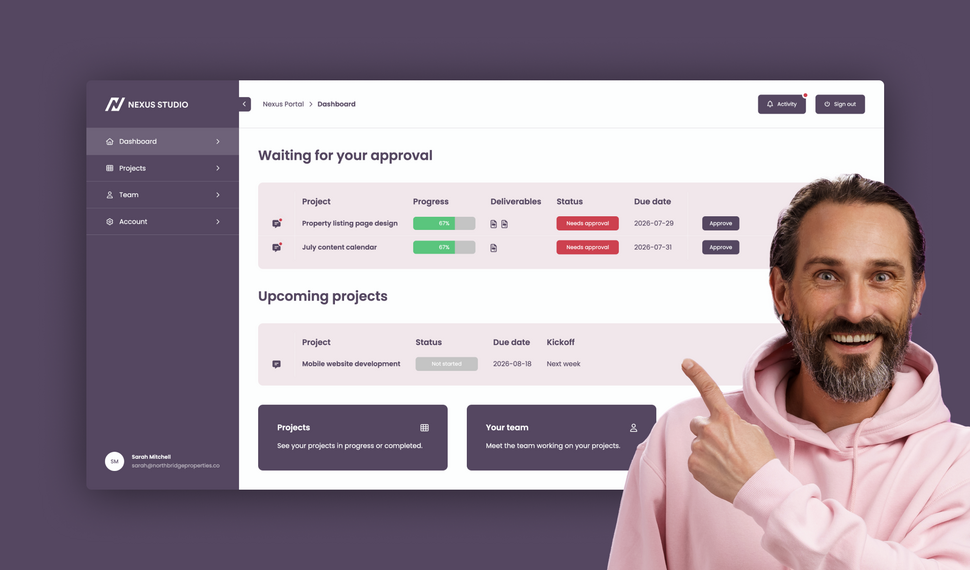
Learn how to build a branded agency client portal connected to monday.com, where clients can track projects, approve deliverables, contact their team, and access account information and contracts.
What changed in Client Portal Builder in the first half of 2026

The first half of 2026 brought 51 new features, 36 improvements, and 15 bug fixes to Client Portal Builder. Discover how these updates made building client portals with monday.com even better.
How to plan and create automated Excel reports with monday.com

Learn how to automate monday.com reporting and export board data to Excel using reusable spreadsheet templates, formulas, and automation workflows with Spreadsheet Gorilla for monday.com
Let clients search and filter board items inside your Client Portal

Clients can now search for items and selected column values directly inside your monday.com Client Portal, making large tables and grids easier to navigate and faster to use.
File preview directly inside your monday.com Client Portal

Clients no longer need to download files to review them. With the new file preview feature, images, videos, and PDFs can now be viewed directly inside monday.com Client Portals.
Client Inbox for global messaging in monday.com Client Portals

Item comments remain essential for contextual collaboration. The new Global Client Inbox adds a dedicated private messaging space between clients and monday.com teams.
Introducing our new documentation hub across all apps

We’ve launched a new documentation for all our apps. It’s clearer, more structured, and designed to help you get answers faster, whether you’re just getting started or configuring advanced setups.
Expanded support for item editing in monday.com Client Portals
Allowing clients to update information directly inside the portal makes collaboration faster and more efficient. This update expands item editing capabilities in monday.com Client Portals.
What’s new on monday.com? Feature update in January 2026
Here’s what’s new on monday.com in January 2026. This month’s updates introduce faster navigation with Recents, easier content creation from Sidekick, and new enterprise board roles.
Reworked setup flow for connecting boards in monday.com Client Portals
Connecting monday.com boards to your client portal is one of the most critical steps in building a useful, dynamic workspace. We made this process clearer, more flexible, and easier to manage.
Semiannual feature recap from Gorilla Apps in December 2025

Client Portal Builder introduced a redesigned dashboard with activity charts and improved onboarding. Spreadsheet Gorilla added a board diagnosis tool and more flexible exports.
What’s new on monday.com? Feature update in December 2025
Here’s what’s new on monday.com in December 2025. This month’s updates introduce a more visual way to create items, improved notification control, and more flexible CRM sequencing.
How to share your monday.com boards with external users and guests
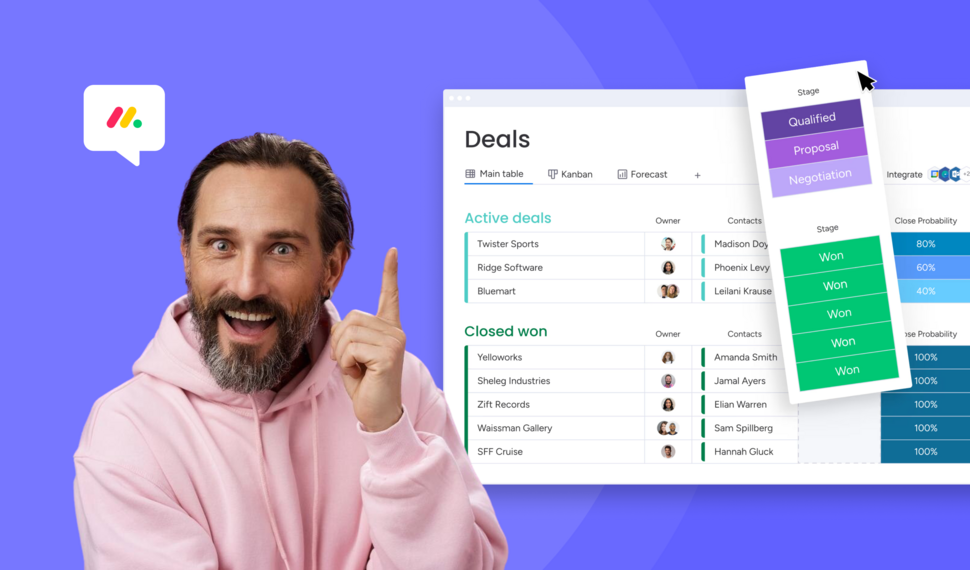
Sharing monday.com boards with external users and guests is easy. In this post, we’ll cover the built-in options, their pros and cons, and why a monday.com client portal is often the best solution.
Turn Confluence into a Blog with dedicated Blog Themes for Scroll Sites

Are you looking for a way to turn your Confluence space into a blog? In this post, we'll explore how to create and publish knowledge, product and classic blogs right from Confluence with Scroll Sites.
What’s new on monday.com? Feature update in October 2025
Here’s what’s new on monday.com in October 2025. This month’s updates center on smarter forms, recovery options, deeper search, and new sprint workflow triggers. Learn more about each new feature.
Set up and use Google Auth in Client Portal Builder for monday.com

Want to allow your clients to sign in to your client portal with Google Authentication? This guide covers everything you need to know about how to set up and use Google Auth with your client portal.
Embed monday.com boards into Squarespace, Wix, WordPress or Webflow
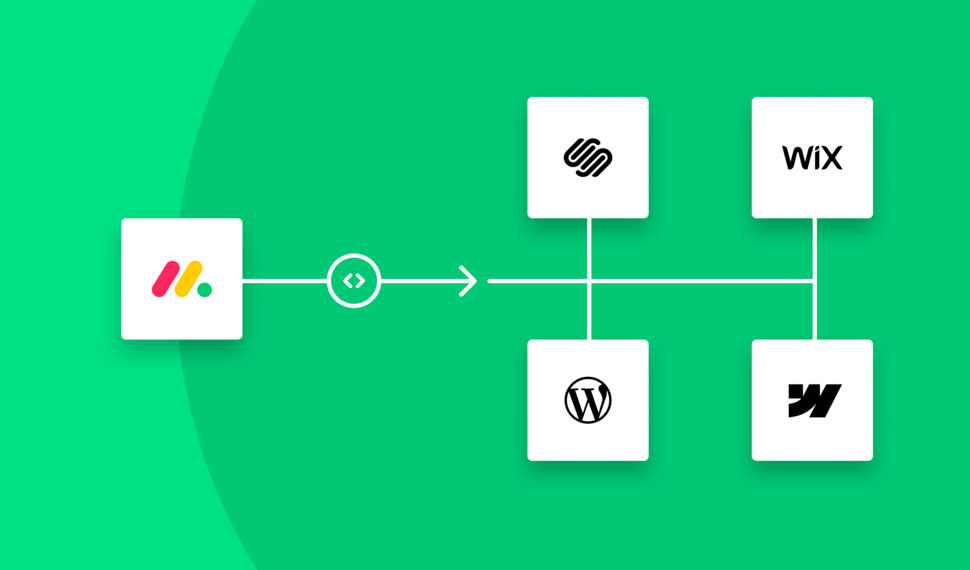
In this guide, you learn how to seamlessly embed monday.com boards as fully branded and synced website widgets into your website made with Squarespace, Wix, WordPress or Webflow.
What’s new on monday.com? Feature update in September 2025

If you're using monday.com, you’ll want to know about the recent enhancements rolling out this fall. From smarter AI suggestions to new service capabilities, here’s what’s new in September 2025.
Create workflows to automate everything in your client portal

Want to automate everything in your monday.com client portal? This guide covers everything you need to know about how to create automation workflows with the Client Portal Builder.
Does monday.com have a Client Portal for external users?

Yes, monday.com has a Customer Portal for monday service. For broader external client access to projects, files, and board data, Client Portal Builder may be the better fit. Learn more about the options.
What’s new on monday.com? Feature update in August 2025
Here’s what monday.com introduced in August 2025. These updates focus on smoother navigation, deeper AI integration, and smarter CRM task sequencing. Read the breakdown of what’s new.
Let your clients edit specific board items right in their client portal
Want to let your clients easily edit specific board items in their client portal? This guide covers everything you need to know about how to enable and make item editing a breeze for your clients.
What’s new on monday.com? Feature update in July 2025
Here’s what monday.com introduced in July 2025. This month’s enhancements center on AI evolution, platform consistency, and deeper integrations. Below is a breakdown of all new updates.
Semiannual feature recap from Gorilla Apps in June 2025

Client Portal Builder added conditional pages and sections, item commenting with automations, new Google login options, and a refreshed UI with draft management and performance boosts.
Client Portal Builder vs Softr for monday.com: Which fits your workflow?

Both Client Portal Builder and Softr can build client portals on top of monday.com. We compare how they differ in setup, flexibility, client access, communication, automations and pricing.
What’s new on monday.com? Feature update in June 2025
Here’s what monday.com rolled out in June 2025. This month’s updates focus on faster form creation, easier reporting, and stronger control for enterprise teams. Read more about the new features from June.
Chat and share files with clients on board items in your Client Portal

Want to easily chat and share files with clients in your monday.com client portal? This guide covers everything you need to know about how to configure and make use of item comments in your client portal.
What’s new on monday.com? Feature update in May 2025

Here’s what monday.com rolled out in May 2025. This month’s enhancements center on clearer hierarchy, smoother scheduling, better integration between docs and boards, and stronger consistency control.
Show content sections and pages conditionally in your client portal

Want to display portal content and pages conditionally and only to specific clients in your monday.com client portal? This guide covers everything you need to know about managing conditions.
What’s new on monday.com? Feature update in April 2025
Here’s what monday.com rolled out in April 2025. This month’s changes focus on personalization, smarter canvas tools, workflow enhancements, and a much deeper AI flexibility.
Let your clients trigger monday.com automations from your client portal
Want to let your clients trigger predefined monday.com automations on board items in your client portal? This guide covers everything you need to know about managing action buttons.
What’s new on monday.com? Feature update in March 2025

Here’s what’s new on monday.com in March 2025. This month’s updates bring deeper form flexibility, more control over item identifiers, personalization in board views, and visibility into API usage.
Format text sections with Markdown in the Client Portal Builder
Want to format text in your client portal on monday.com to your needs? This guide covers everything you need to know about how to make use of the Markdown syntax to shape your text.
What’s new on monday.com? Feature update in February 2025
Here’s what’s new on monday.com in February 2025. This month focuses on navigation clarity, personalization in the app marketplace, more powerful workflow logic, and smarter AI behavior.
Embed monday.com WorkForms into the Client Portal Builder
Want to embed monday.com WorkForms in your client portal on monday.com? This guide covers everything you need to know about how to embed and display WorkForms in your client portal.
What’s new on monday.com? Feature update in January 2025
Here’s what’s new on monday.com in January 2025. This month’s updates hone usability, security, and AI ties. Especially in WorkForms, canvas views, column logic, and permissions.
Semiannual feature recap from Gorilla Apps in December 2024

Client Portal Builder gained custom domains, multi-region hosting, subitem support and markdown callouts. Spreadsheet Gorilla introduced group filters and quick actions.
Connect a custom domain to your Client Portal on monday.com

Connect and use your own domain for a client portal built on monday.com and give clients a familiar address such as portal.company.com for a fully branded client experience.
Display monday.com board items in your Client Portal to your clients

Want to give access and display select monday.com board items to your clients in your client portal? This guide covers everything you need to know about how to create and manage board sources.
Getting started with the Client Portal Builder for monday.com

Want to build a Client Portal on top of your monday.com boards? This guide covers everything you need to know about how getting started building your Client Portal directly on monday.com
What’s new on monday.com? Feature update in October 2024
Here’s what’s new on monday.com in October 2024. This month’s releases bring more flexible views, smarter AI data extraction, upgraded workflow depth, and refined notification settings.
How do I create digital product catalogs from monday.com board items?
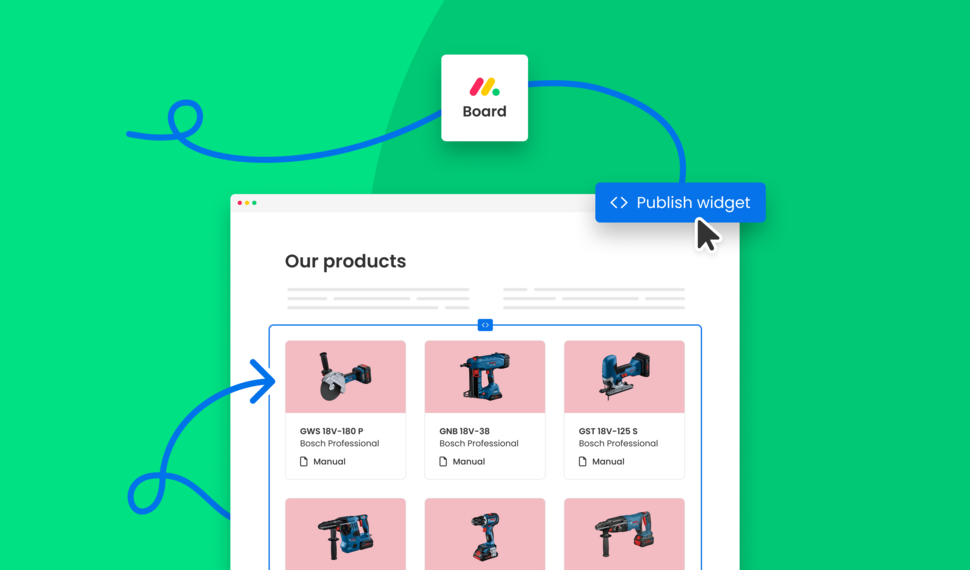
Are you looking for a way to create a digital product catalog from a monday.com board? In this guide, we'll explore how to create a product catalog that can be seamlessly embedded into a website.
What’s new on monday.com? Feature update in August 2024
Here’s a look at the features monday.com released in August 2024. This month’s updates improve date logic, form flexibility, invitation workflows, and integration permissions.
Semiannual feature recap from Gorilla Apps in June 2024

We introduced Dynamic Boards, easier automation setup, and faster board appending in Spreadsheet Gorilla, while laying the groundwork for our next monay.com app: Client Portal Builder.
How do I export and email Excel spreadsheets on monday.com?
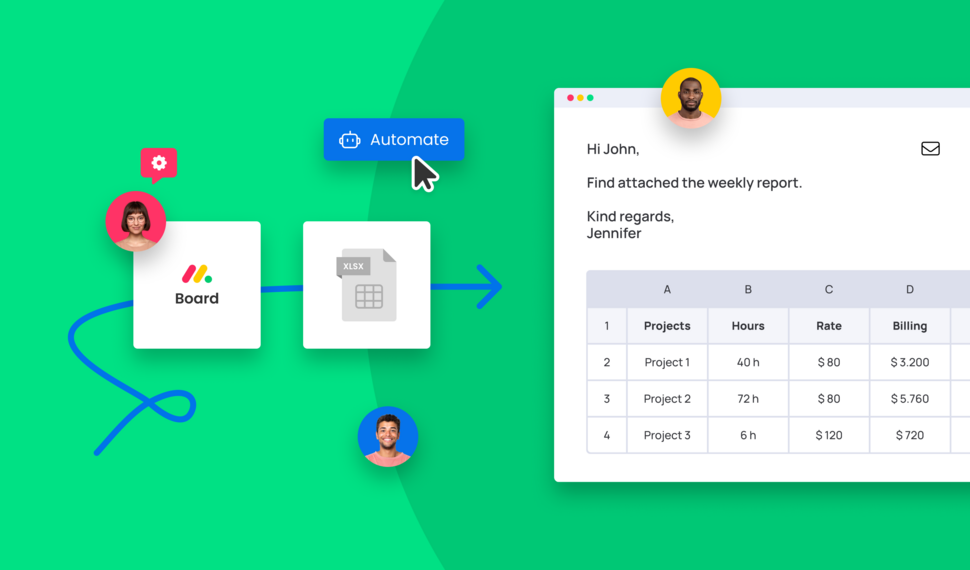
Are you looking for a way to send emails with attached Excel spreadsheets through monday.com automations? In this guide, we'll explore how to recurrently email Excel reports based on monday.com boards.
How do I make use of Spreadsheet Gorilla for monday.com?
Spreadsheet Gorilla is a powerful tool for everything spreadsheets on monday.com and beyond. In this guide we will explore all the apps' features like exporting to Excel, and how you can utilize them.
How do I embed a monday.com board on my own website?

Are you looking for ways to embed your monday.com boards directly into your website? In this guide, we'll explore all the options of embedding a monday.com board seamlessly into websites.
How do I remove the monday.com branding from Excel exports?

Are you looking for a solution to clean up Excel exports from monday.com? In this guide, we'll discover all options on how to remove the monday.com logo and the default formatting from Excel files.
What is monday.com and why is it so popular across many industries?
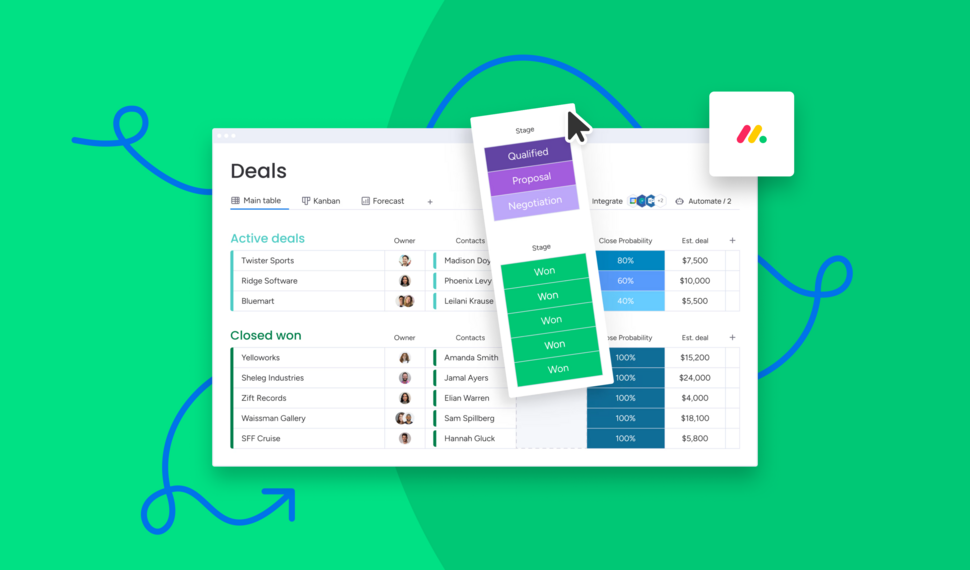
Are you looking for a comprehensive guide of why you should use monday.com for your business? In this guide we will quickly spotlight the key features of monday.com and why it's the most flexible business tool.
How do I use formulas across monday.com boards to update board columns?

Need formulas to calculate across multiple monday.com boards? Spreadsheet Gorilla lets you calculate values with spreadsheet Excel style formulas and update board columns from the result.
Interested in a product demo?
Let's learn about your requirements, answer questions, and
review ways how we can help you and your organization with
our monday.com apps and solutions.