Build custom, structured Excel reports from monday.com board data and send them automatically to the right people on schedule.




How to plan and create automated Excel reports with monday.com
Learn how to automate monday.com reporting and export board data to Excel using reusable spreadsheet templates, formulas, and automation workflows with Spreadsheet Gorilla for monday.com

Table of contents
Use the navigation to quickly jump to your desired section or head straight to the conclusion.
monday.com is great for managing work, but reporting can quickly become time consuming when your boards grow. You may need weekly project updates, monthly management reports, client progress summaries, sales pipeline reports, budget overviews, operational KPI reports, or internal performance snapshots. In many cases, the data already exists in monday.com, but it is spread across boards, columns, statuses, timelines, owners, and updates.
The challenge is turning that board data into a report that people can actually use.
A good automated report should not simply copy your monday.com board into Excel. It should answer a clear question, include the right data, remove unnecessary details, and follow a reusable structure. In this guide, we explain how to plan and create automated reports from monday.com board data, how to structure your reports, and when Spreadsheet Gorilla for monday.com can help you turn your boards into reusable Excel report templates.
TL;DR
Can you create automated Excel reports with monday.com?
Yes, you can create automated reports in monday.com, but the best setup depends on what kind of report you need. For simple reporting, a monday.com board view or one time export may be enough. For recurring spreadsheet based reports, you need a more structured workflow. That usually means defining the report goal, choosing the right boards and columns, applying filters, adding formulas, and using a reusable report template.
Step 1: Report goal
Define the report goal
The first step is deciding what the report should explain. This sounds simple, but it is where many reporting workflows go wrong. Teams often start by exporting everything from a board and then cleaning it up afterwards. That creates long spreadsheets, unnecessary columns, and reports that are difficult to read. Start with the question the report should answer:
- Which projects are currently at risk?
- What was completed this week?
- Which sales opportunities are expected to close this month?
- Which invoices are still unpaid?
- How much budget has been used?
- Which tasks are overdue?
- What work is assigned to each team member?
- What progress should a client see this month?
Did you know?
Once the goal is clear, it becomes easier to decide which boards, columns, filters, and formulas belong in the report. A useful report should help the reader make a decision, understand progress, or take action.
Step 2: Board selection
Choose the boards that feed the report
Next, decide which monday.com boards contain the data needed for the report. Some reports only need one board. Others need information from several boards.
One board reports
A one board report works well when all relevant data is already stored in one place, examples include:
- A project report from one project board.
- A task report from one team board.
- A pipeline report from one sales board.
- A ticket report from one support board.
- A budget report from one finance board.
This is usually the simplest and most straightforward reporting setup.
Multi board reports
A multi board report is useful when your reporting data is spread across several areas of monday.com, examples include:
- A client report that uses data from project boards and support boards.
- A management report that combines tasks, budgets, and milestones.
- A sales report that combines leads, opportunities, and accounts.
- A finance report that combines invoices, clients, and payment status.
- A portfolio report that combines several project boards.
When you use multiple boards, the report structure becomes more important. You need to decide how the data should be organized so the final spreadsheet remains readable.
Step 3: Column selection
Choose the columns that belong in the report
Your monday.com boards often contain more columns than a report needs. And your board may include internal workflow columns, automation helper columns, technical fields, internal notes, operational statuses, or temporary planning fields. These may be useful for managing work, but they do not always belong in a report.
Did you know?
Choose only the columns that help the reader understand the topic. A clean report is usually more useful than a complete export.
Step 4: Item filtering
Filter the report data
A report should rarely include every item from a board. Filters help you include only the data that matches the purpose of the report. For example, you may want to include:
- Only active projects.
- Only completed tasks.
- Only overdue items.
- Only high priority items.
- Only items assigned to a specific team.
- Only items for one client.
- Only items from this month.
- Only invoices waiting for payment.
- Only opportunities in a selected sales stage.
- Only projects with a risk status.
Did you know?
Filtering keeps the report focused. It also makes the final spreadsheet easier to read, especially when the source board contains hundreds or thousands of items. But be aware that a small filter mistake can exclude important information or include items that do not belong in the report.
Step 5: Excel structure
Decide the spreadsheet structure
A board is designed for managing work. A report is designed for reading, reviewing, and decision making. That means the exported Excel spreadsheet should not always follow the exact structure of the monday.com board. Think about how the reader should experience the report.
Option 1: One worksheet for all data
This works well for simple reports. Use one worksheet when the report is short, focused, and easy to understand without additional organization.
Option 2: Separate worksheets by category
This works well when the report includes different types of information. You could create separate worksheets for Projects, Tasks, Clients, Invoices, Risks, Completed work, Open items, or Summary data.
Option 3: Summary first, details second
This is often the best structure for management reports. The first worksheet gives a summary. Later worksheets provide the supporting details, for example:
- Worksheet 1: Executive summary
- Worksheet 2: Project status
- Worksheet 3: Overdue items
- Worksheet 4: Budget details
- Worksheet 5: Raw data
Option 4: One worksheet per client or department
This is useful when different audiences need separate sections. For example, a monthly client reporting file could include one worksheet per client, while an internal operations report could include one worksheet per department. The goal is to make the report easier to read than the original board.
Step 6: Calculated insights
Add formulas and calculated values
Reports often need calculations from across different boards that are not directly visible in monday.com. Formulas help turn board data into reporting insights, common examples include:
- Total and remaining budget
- Difference between planned and actual values
- Completion rate and average time to completion
- Percentage of work completed
- Number of overdue items and risk score
- Sales pipeline value and revenue by client
- Monthly and year to date totals
Did you know?
These calculations help the report answer questions instead of only listing raw data. But make sure they continue to work when new items are added, columns are empty, or values change.
Step 7: Reusable template
Build a reusable spreadsheet template
Once the report goal, boards, columns, filters, structure, and formulas are clear, the next step is building a reusable template. A reusable template saves time because you do not need to rebuild the same Excel file every week or month. Instead of repeating this manual process, you define the report structure once and generate a consistent report on demand. A template is useful when:
- The same report is needed regularly.
- The report should use a consistent format.
- Several people rely on the same reporting structure.
- The report should include selected monday.com columns.
- The report should include calculated insights from formulas.
- The report should combine data from multiple boards.
- The report should be easier to read than a standard board export.
Ready to export board reports with automations?
Learn more about how you and your team can benefit from Spreadsheet Gorilla for monday.com to create tailored and consistent Excel reports sent right into any email inbox on auto-pilot.
Step 8: Testing
Preview and test the Excel report
Before using a report in a real workflow, test it. Do not only check whether the file generates. Check whether the report is actually useful, use this checklist:
- Does the report answer the original question?
- Are the right boards included?
- Are unnecessary columns removed?
- Are the filters correct?
- Are the worksheets easy to understand?
- Are formulas calculating correctly?
- Are empty values handled properly?
- Is the report readable for someone who does not work inside the board every day?
- Would a client, manager, or stakeholder understand the report without extra explanation?
- Is the file small enough and practical to use?
Testing is especially important before automating a report. Once a report runs automatically, small mistakes can repeat every time the workflow runs.
Step 9: Report usage
Decide how the report should be used
After the report structure works, decide how the report should be used. Different teams use automated reports in different ways, common options include:
- Downloading the report manually when needed
- Saving a monthly copy for internal records
- Reviewing the report in a management meeting
- Using the report as a finance or operations input
- Sharing the report with a client
- Sending the report to stakeholders
- Creating a recurring reporting workflow
This article focuses on how to design and build the report itself. If you want the finished Excel report to be emailed automatically on a schedule, read the dedicated guide: How do I email Excel reports with automations on monday.com?
Benefits
Why automated report templates are better than one time exports
One time exports are useful when you only need a quick copy of board data. Automated report templates are better when reporting is part of a repeated process.
-
Every report follows the same layout. This makes it easier to compare reports over time and reduces confusion for recurring recipients.
-
Cleaner Excel files
A template lets you remove unnecessary board columns and organize the remaining data around the reader’s needs. The result is a cleaner report rather than a direct copy of your monday.com board.
-
Less manual cleanup
Without a template, someone often needs to export data, delete columns, rearrange rows, add formulas, and save the file manually. A reusable template reduces that repetitive work.
-
Better reporting logic
Templates let you apply filters, formulas, and structure intentionally. This helps the report communicate the right information instead of simply listing all available board data.
-
Easier scaling
One manual spreadsheet may be manageable. Several recurring reports across clients, teams, boards, and departments can quickly become difficult to maintain without a template based workflow.
Examples
Examples of automated reports you can create from monday.com
Automated reporting can support many different teams and workflows.
-
Weekly project status report
Show active projects, current status, owners, deadlines, risks, blockers, and upcoming milestones. This is useful for project managers, team leads, and stakeholders who need a regular progress update.
-
Monthly management report
Summarize key activity across teams or departments. This might include completed work, overdue items, budget figures, resource usage, and high level KPIs.
-
Client progress report
Create a client report that shows only the information relevant to a specific client. This can include deliverables, deadlines, completed tasks, open requests, and next steps.
-
Sales pipeline report
Summarize opportunities by stage, owner, value, expected close date, and status. This helps sales managers review pipeline health without manually cleaning exports.
-
Finance and billing report
Report on invoices, payment status, budgets, actual costs, and monthly totals. This is useful when finance teams need monday.com data in spreadsheet form.
-
Operations KPI report
Track operational metrics such as open work, completed work, turnaround time, backlog, workload, or priority items.
-
Resource planning report
Show work assigned by person, team, project, timeline, or capacity. This can help managers understand upcoming workload and staffing needs.
-
Risk and issue report
Show only items marked as delayed, blocked, high risk, or requiring escalation. This keeps the report focused on what needs attention.
Common mistakes
Common mistakes when creating automated monday.com reports
Automated reporting works best when the report is designed intentionally, so avoid these common mistakes:
-
Exporting too much data
More data does not always make a better report. If the reader only needs ten columns, do not include thirty. If the report only needs this month’s items, do not include the full board history.
-
Using the board layout as the report layout
Boards are usually designed for work management. Reports should be designed for communication, review, and decision making. The best report layout may be different from the board layout.
-
Forgetting the audience
A report for an internal project manager can include operational detail. A report for a client or executive should usually be cleaner, shorter, and easier to scan. Define the audience before finalizing the report structure.
-
Skipping filters
Without filters, reports often become too large and unfocused. Use filters to include only the items that match the reporting goal.
-
Keeping internal columns
Many boards include internal workflow columns that external readers do not need. Remove columns that are only useful to your team’s internal process.
-
Not testing formulas
Formulas should be tested before reports are reused or automated. A formula error can create incorrect numbers every time the report is generated.
-
Creating one off spreadsheets repeatedly
If your team creates the same report again and again, it should probably become a template. Repeated manual spreadsheet work is a sign that the reporting workflow can be improved.
-
Not reviewing reports over time
Boards, workflows, and stakeholders change. Review report templates regularly to make sure they still match the way your team works.
Questions & Answers
Frequently asked questions about automated reporting with monday.com
-
Can monday.com create automated reports?
Yes. monday.com can support reporting through board views, filters, exports, and automations. For structured Excel reports, many teams use Spreadsheet Gorilla to turn monday.com board data into reusable spreadsheet templates.
-
Can I create Excel reports from monday.com board data?
Yes. monday.com board data can be used to create Excel reports. For simple needs, a one time export may be enough. For reusable report structures, templates, filters, formulas, or multiple boards, Spreadsheet Gorilla is a better fit.
-
What is the difference between a board export and a report template?
A board export copies board data into a spreadsheet. A report template defines how that data should be selected, organized, filtered, calculated, and presented every time the report is generated.
-
Can I use multiple monday.com boards in one report?
Yes. This is useful when the report needs data from several workflows, such as projects, clients, sales, finance, operations, or support. Spreadsheet Gorilla can help create spreadsheet reports based on one or more monday.com boards.
-
Can I filter monday.com data before creating a report?
Yes. Filtering is one of the most important parts of a good report. Filters help include only the items that match the report goal, such as active projects, overdue tasks, completed work, selected clients, or items from a specific time period.
-
Can I add formulas to monday.com reports?
Yes. Spreadsheet based reports can use formulas to calculate totals, percentages, variances, counts, and other reporting values. This helps turn raw board data into more useful reporting insights.
-
Should my automated report include every board column?
Usually, no. A report should include the columns the reader needs. Internal workflow columns, helper columns, and unnecessary operational details should usually be removed.
-
Can I send automated Excel reports by email?
Yes. Spreadsheet Gorilla can be used with monday.com automations for email based reporting workflows. For the detailed setup, read the dedicated guide on emailing Excel reports with monday.com automations.
-
Why use Spreadsheet Gorilla instead of exporting manually?
Manual exports are useful for occasional downloads. Spreadsheet Gorilla is better when you need reusable report templates, selected columns, filters, formulas, multiple boards, and a cleaner Excel structure.
Conclusion
Create reusable Excel reports from monday.com board data
The monday.com workspace gives teams a flexible place to manage work. But reporting often needs a different structure than the board itself. A useful report should be focused, readable, consistent, and easy to reuse. Spreadsheet Gorilla helps you turn monday.com board data into structured Excel report templates with selected columns, filters, formulas, worksheets, and reusable report layouts. Use it when you want to spend less time cleaning spreadsheets and more time using the reports.
Discover our tutorials, guides and
new updates for monday.com
- All
- Client Portal Builder
- Board to Website Widget
- Spreadsheet Gorilla
- Exported Excel Cleaner
How to create a self-service client portal with monday.com

Give clients one secure and dedicated place to find information, submit requests and manage their part of the workflow while your team keeps working in monday.com.
How to use monday.com boards in a client portal

Turn existing monday.com boards into client friendly portal pages and sections while keeping projects, requests, documents and other workflows organized for your internal team.
How to automate client portal workflows in monday.com

Connect client portal access to your monday.com workflow so client accounts, invitations and next steps can happen automatically as clients move through your process.
How to create personalized views in a monday.com client portal

Configure, publish and maintain one client portal for all clients while showing each stakeholder or external user only the monday.com items, pages and information relevant to them.
The best monday.com Marketplace apps for extending your workflows

Compare useful monday.com Marketplace apps by the workflows they extend, from advanced forms and document generation to multi-board sync, time tracking, backups and more.
How to manage client communication in a monday.com client portal

Keep client conversations connected to the right projects and monday.com items while giving clients one place for messages, feedback and files in a dedicated client portal.
The 6 best ways to build a client portal with monday.com

Compare six ways to build a client portal with monday.com and see how each approach handles client access, data separation, setup and ongoing maintenance.
How to create a weekly project status report from monday.com in Excel
Learn what a weekly project status report should include and how to turn monday.com data into a structured Excel workbook for recurring stakeholder reporting.
How to manage client approvals in a monday.com client portal

Give clients a dedicated and focused place to review and approve work while feedback, approval statuses and next steps stay connected to your internal monday.com workflow.
How to publish Confluence blog posts publicly

Are you looking for a way to publish Confluence blog posts for external readers? In this post, we’ll explore how to turn Confluence content into a public blog with Scroll Sites and blog themes.
How to let clients update monday.com items through a client portal
Let clients update selected and existing monday.com items directly from their client portal while your team keeps the underlying records and workflows in monday.com.
How to build a client portal with monday.com in less than 5 minutes
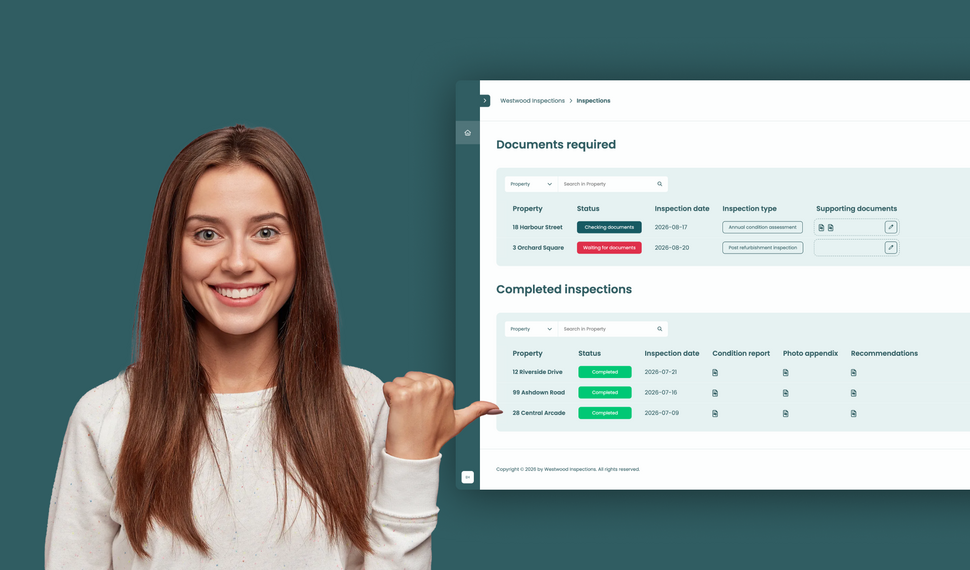
Learn how to build a simple file exchange client portal connected to monday.com, where clients can upload required documents, track inspection progress, and access completed reports.
How to collect client requests with forms in a monday.com client portal
Let clients or external stakeholders submit structured requests through forms in their monday.com client portal while your team manages every submission directly in your monday.com workspace.
How to build a client portal with monday.com for your agency
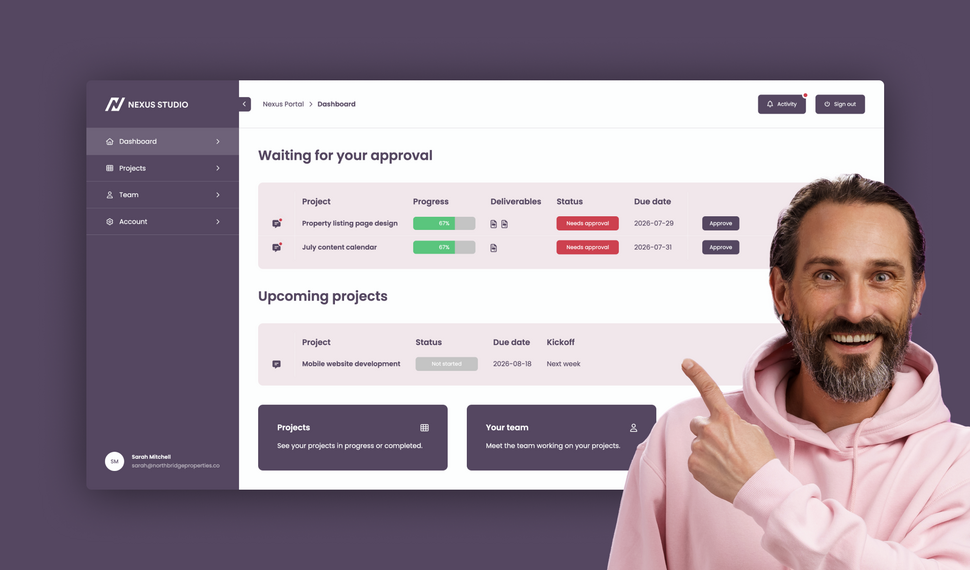
Learn how to build a branded agency client portal connected to monday.com, where clients can track projects, approve deliverables, contact their team, and access account information and contracts.
What changed in Client Portal Builder in the first half of 2026

The first half of 2026 brought 51 new features, 36 improvements, and 15 bug fixes to Client Portal Builder. Discover how these updates made building client portals with monday.com even better.
How to plan and create automated Excel reports with monday.com

Learn how to automate monday.com reporting and export board data to Excel using reusable spreadsheet templates, formulas, and automation workflows with Spreadsheet Gorilla for monday.com
Let clients search and filter board items inside your Client Portal

Clients can now search for items and selected column values directly inside your monday.com Client Portal, making large tables and grids easier to navigate and faster to use.
File preview directly inside your monday.com Client Portal

Clients no longer need to download files to review them. With the new file preview feature, images, videos, and PDFs can now be viewed directly inside monday.com Client Portals.
Client Inbox for global messaging in monday.com Client Portals

Item comments remain essential for contextual collaboration. The new Global Client Inbox adds a dedicated private messaging space between clients and monday.com teams.
Introducing our new documentation hub across all apps

We’ve launched a new documentation for all our apps. It’s clearer, more structured, and designed to help you get answers faster, whether you’re just getting started or configuring advanced setups.
Expanded support for item editing in monday.com Client Portals

Allowing clients to update information directly inside the portal makes collaboration faster and more efficient. This update expands item editing capabilities in monday.com Client Portals.
What’s new on monday.com? Feature update in January 2026
Here’s what’s new on monday.com in January 2026. This month’s updates introduce faster navigation with Recents, easier content creation from Sidekick, and new enterprise board roles.
Reworked setup flow for connecting boards in monday.com Client Portals

Connecting monday.com boards to your client portal is one of the most critical steps in building a useful, dynamic workspace. We made this process clearer, more flexible, and easier to manage.
Semiannual feature recap from Gorilla Apps in December 2025

Client Portal Builder introduced a redesigned dashboard with activity charts and improved onboarding. Spreadsheet Gorilla added a board diagnosis tool and more flexible exports.
What’s new on monday.com? Feature update in December 2025
Here’s what’s new on monday.com in December 2025. This month’s updates introduce a more visual way to create items, improved notification control, and more flexible CRM sequencing.
How to share your monday.com boards with external users and guests

Sharing monday.com boards with external users and guests is easy. In this post, we’ll cover the built-in options, their pros and cons, and why a monday.com client portal is often the best solution.
Turn Confluence into a Blog with dedicated Blog Themes for Scroll Sites

Are you looking for a way to turn your Confluence space into a blog? In this post, we'll explore how to create and publish knowledge, product and classic blogs right from Confluence with Scroll Sites.
What’s new on monday.com? Feature update in October 2025
Here’s what’s new on monday.com in October 2025. This month’s updates center on smarter forms, recovery options, deeper search, and new sprint workflow triggers. Learn more about each new feature.
Set up and use Google Auth in Client Portal Builder for monday.com

Want to allow your clients to sign in to your client portal with Google Authentication? This guide covers everything you need to know about how to set up and use Google Auth with your client portal.
Embed monday.com boards into Squarespace, Wix, WordPress or Webflow
In this guide, you learn how to seamlessly embed monday.com boards as fully branded and synced website widgets into your website made with Squarespace, Wix, WordPress or Webflow.
What’s new on monday.com? Feature update in September 2025

If you're using monday.com, you’ll want to know about the recent enhancements rolling out this fall. From smarter AI suggestions to new service capabilities, here’s what’s new in September 2025.
Create workflows to automate everything in your client portal

Want to automate everything in your monday.com client portal? This guide covers everything you need to know about how to create automation workflows with the Client Portal Builder.
Does monday.com have a Client Portal for external users?

Yes, monday.com has a Customer Portal for monday service. For broader external client access to projects, files, and board data, Client Portal Builder may be the better fit. Learn more about the options.
What’s new on monday.com? Feature update in August 2025
Here’s what monday.com introduced in August 2025. These updates focus on smoother navigation, deeper AI integration, and smarter CRM task sequencing. Read the breakdown of what’s new.
Let your clients edit specific board items right in their client portal

Want to let your clients easily edit specific board items in their client portal? This guide covers everything you need to know about how to enable and make item editing a breeze for your clients.
What’s new on monday.com? Feature update in July 2025
Here’s what monday.com introduced in July 2025. This month’s enhancements center on AI evolution, platform consistency, and deeper integrations. Below is a breakdown of all new updates.
Semiannual feature recap from Gorilla Apps in June 2025

Client Portal Builder added conditional pages and sections, item commenting with automations, new Google login options, and a refreshed UI with draft management and performance boosts.
Client Portal Builder vs Softr for monday.com: Which fits your workflow?

Both Client Portal Builder and Softr can build client portals on top of monday.com. We compare how they differ in setup, flexibility, client access, communication, automations and pricing.
What’s new on monday.com? Feature update in June 2025
Here’s what monday.com rolled out in June 2025. This month’s updates focus on faster form creation, easier reporting, and stronger control for enterprise teams. Read more about the new features from June.
Chat and share files with clients on board items in your Client Portal

Want to easily chat and share files with clients in your monday.com client portal? This guide covers everything you need to know about how to configure and make use of item comments in your client portal.
What’s new on monday.com? Feature update in May 2025

Here’s what monday.com rolled out in May 2025. This month’s enhancements center on clearer hierarchy, smoother scheduling, better integration between docs and boards, and stronger consistency control.
Show content sections and pages conditionally in your client portal

Want to display portal content and pages conditionally and only to specific clients in your monday.com client portal? This guide covers everything you need to know about managing conditions.
What’s new on monday.com? Feature update in April 2025

Here’s what monday.com rolled out in April 2025. This month’s changes focus on personalization, smarter canvas tools, workflow enhancements, and a much deeper AI flexibility.
Let your clients trigger monday.com automations from your client portal

Want to let your clients trigger predefined monday.com automations on board items in your client portal? This guide covers everything you need to know about managing action buttons.
What’s new on monday.com? Feature update in March 2025

Here’s what’s new on monday.com in March 2025. This month’s updates bring deeper form flexibility, more control over item identifiers, personalization in board views, and visibility into API usage.
Format text sections with Markdown in the Client Portal Builder

Want to format text in your client portal on monday.com to your needs? This guide covers everything you need to know about how to make use of the Markdown syntax to shape your text.
What’s new on monday.com? Feature update in February 2025

Here’s what’s new on monday.com in February 2025. This month focuses on navigation clarity, personalization in the app marketplace, more powerful workflow logic, and smarter AI behavior.
Embed monday.com WorkForms into the Client Portal Builder

Want to embed monday.com WorkForms in your client portal on monday.com? This guide covers everything you need to know about how to embed and display WorkForms in your client portal.
What’s new on monday.com? Feature update in January 2025
Here’s what’s new on monday.com in January 2025. This month’s updates hone usability, security, and AI ties. Especially in WorkForms, canvas views, column logic, and permissions.
Semiannual feature recap from Gorilla Apps in December 2024

Client Portal Builder gained custom domains, multi-region hosting, subitem support and markdown callouts. Spreadsheet Gorilla introduced group filters and quick actions.
Connect a custom domain to your Client Portal on monday.com

Connect and use your own domain for a client portal built on monday.com and give clients a familiar address such as portal.company.com for a fully branded client experience.
Display monday.com board items in your Client Portal to your clients

Want to give access and display select monday.com board items to your clients in your client portal? This guide covers everything you need to know about how to create and manage board sources.
Getting started with the Client Portal Builder for monday.com

Want to build a Client Portal on top of your monday.com boards? This guide covers everything you need to know about how getting started building your Client Portal directly on monday.com
What’s new on monday.com? Feature update in October 2024
Here’s what’s new on monday.com in October 2024. This month’s releases bring more flexible views, smarter AI data extraction, upgraded workflow depth, and refined notification settings.
How do I create digital product catalogs from monday.com board items?
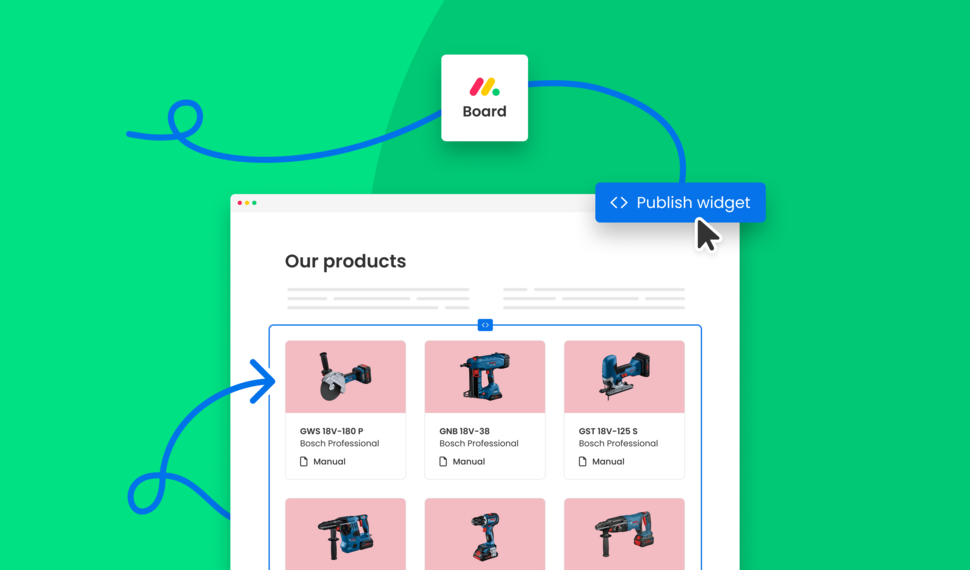
Are you looking for a way to create a digital product catalog from a monday.com board? In this guide, we'll explore how to create a product catalog that can be seamlessly embedded into a website.
What’s new on monday.com? Feature update in August 2024
Here’s a look at the features monday.com released in August 2024. This month’s updates improve date logic, form flexibility, invitation workflows, and integration permissions.
Semiannual feature recap from Gorilla Apps in June 2024

We introduced Dynamic Boards, easier automation setup, and faster board appending in Spreadsheet Gorilla, while laying the groundwork for our next monay.com app: Client Portal Builder.
How do I export and email Excel spreadsheets on monday.com?
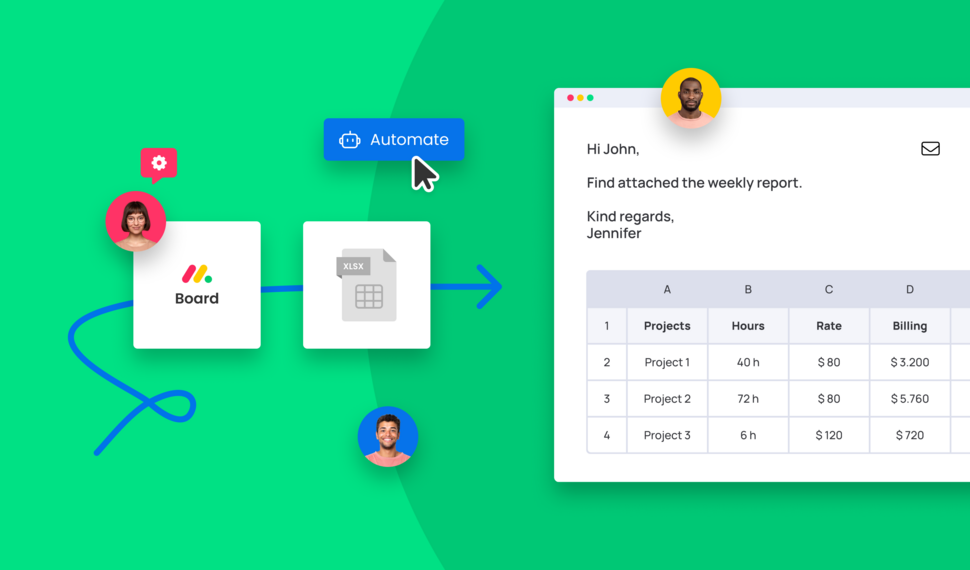
Are you looking for a way to send emails with attached Excel spreadsheets through monday.com automations? In this guide, we'll explore how to recurrently email Excel reports based on monday.com boards.
How do I make use of Spreadsheet Gorilla for monday.com?
Spreadsheet Gorilla is a powerful tool for everything spreadsheets on monday.com and beyond. In this guide we will explore all the apps' features like exporting to Excel, and how you can utilize them.
How do I embed a monday.com board on my own website?

Are you looking for ways to embed your monday.com boards directly into your website? In this guide, we'll explore all the options of embedding a monday.com board seamlessly into websites.
How do I remove the monday.com branding from Excel exports?

Are you looking for a solution to clean up Excel exports from monday.com? In this guide, we'll discover all options on how to remove the monday.com logo and the default formatting from Excel files.
What is monday.com and why is it so popular across many industries?
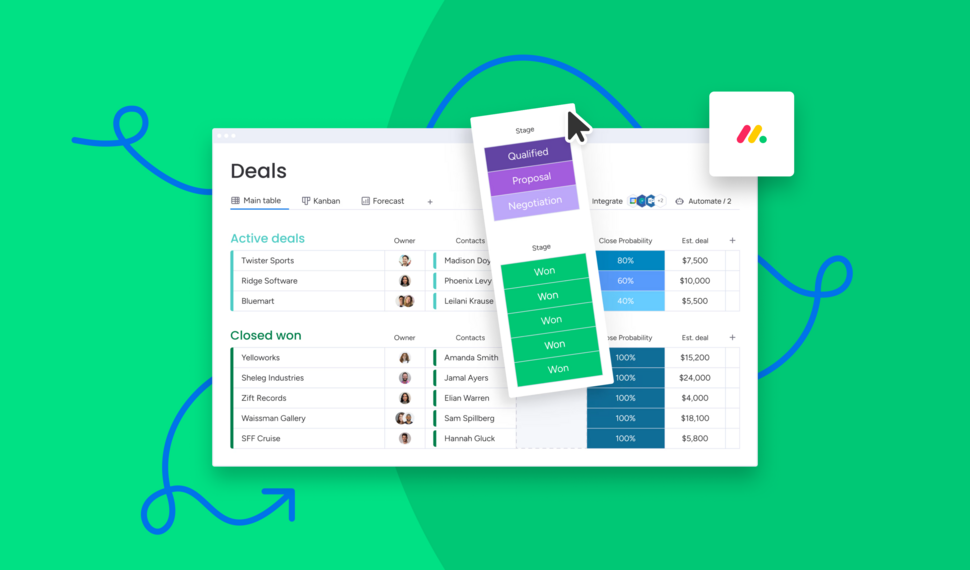
Are you looking for a comprehensive guide of why you should use monday.com for your business? In this guide we will quickly spotlight the key features of monday.com and why it's the most flexible business tool.
How do I use formulas across monday.com boards to update board columns?

Need formulas to calculate across multiple monday.com boards? Spreadsheet Gorilla lets you calculate values with spreadsheet Excel style formulas and update board columns from the result.
Interested in a product demo?
Let's learn about your requirements, answer questions, and
review ways how we can help you and your organization with
our monday.com apps and solutions.