Build custom, structured Excel reports from monday.com board data and send them automatically to the right people on schedule.





Knowledge Blog for Confluence
Publish knowledge
from Confluence
Create tutorials, technical articles and expert content
in Confluence, then publish it as a structured
public Confluence blog with Scroll Sites.
Looking for a blog layout focused on product updates?
Explore the Product Blog Theme for Confluence.
Features
Turn Confluence knowledge
into a public blog
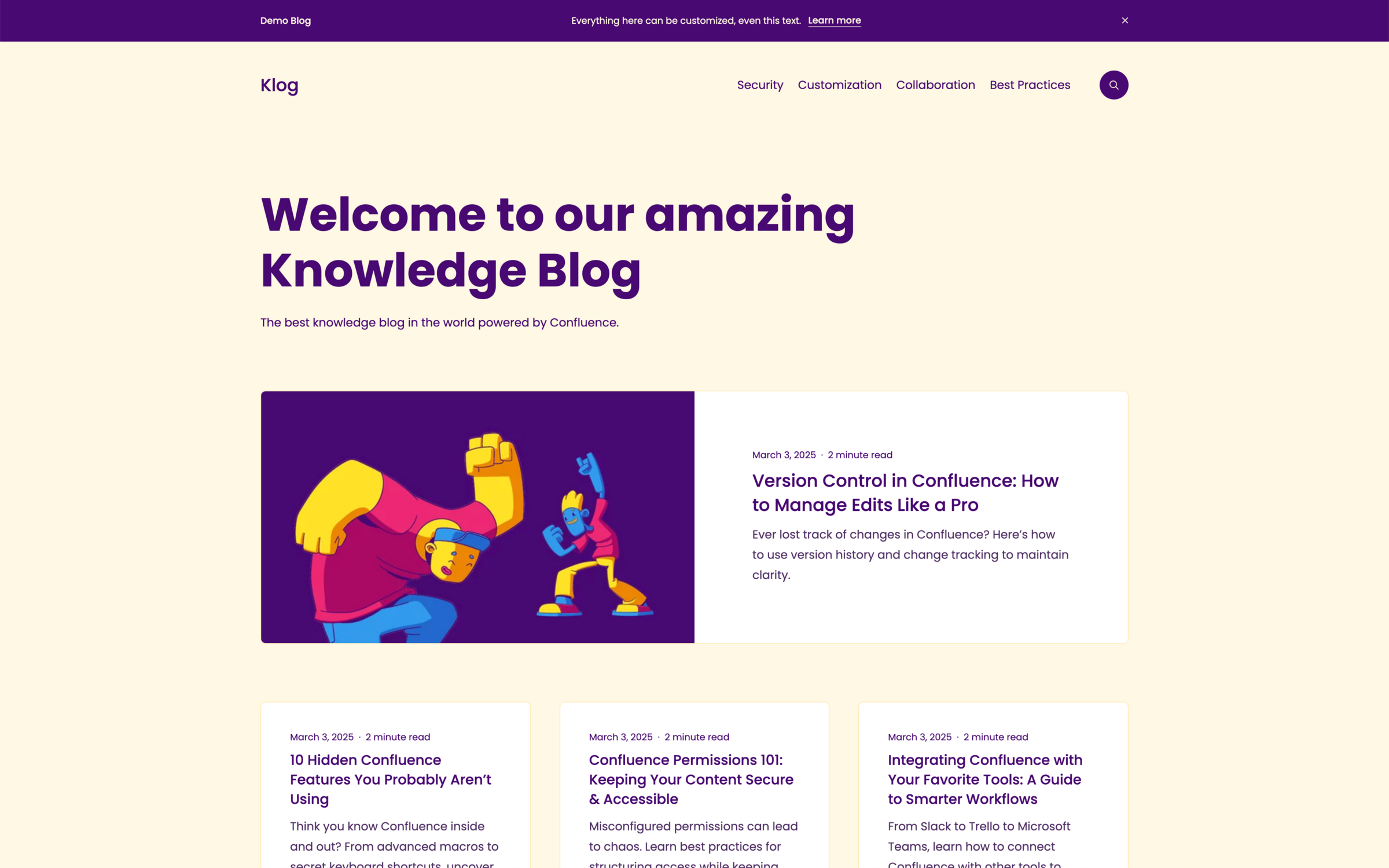
The Knowledge Blog theme is designed for sharing tutorials and guides,
engineering blogs, technical documentation and thought leadership with
external readers. Learn how to publish Confluence blog posts publicly.
Knowledge articles
Publish expertise beyond Confluence
Share educational articles, best practices, insights and other knowledge with customers or a wider public audience.
Content discovery
Help readers find related knowledge
Use the blog structure and navigation to make a growing collection of articles easier to explore.
Tutorials
Create structured how to content
Publish practical guides and tutorials that readers can browse outside your Confluence workspace.
Confluence authoring
Keep knowledge in Confluence
Create, review and update articles with the tools and collaboration workflow your team already uses.
Categories
Organize knowledge by topic
Group related articles into categories so readers can quickly explore the subjects relevant to them.
Call to action
Connect knowledge to the next step
Guide readers toward related documentation, products, services or other useful resources.
Getting started
How to get started with
blogging in Confluence
1. Install Scroll Sites
Install Scroll Sites for Confluence in your Confluence Cloud instance.
2. Subscribe
Subscribe to the Knowledge Blog theme using the subscription portal.
3. Activation
Receive an activation email within the next three business days.
Pricing
Subscribe now for $40 per month
Subscribe monthly to the Knowledge Blog Theme and publish your Confluence blog with Scroll Sites. Got questions? Learn more about frequently asked questions.
Support
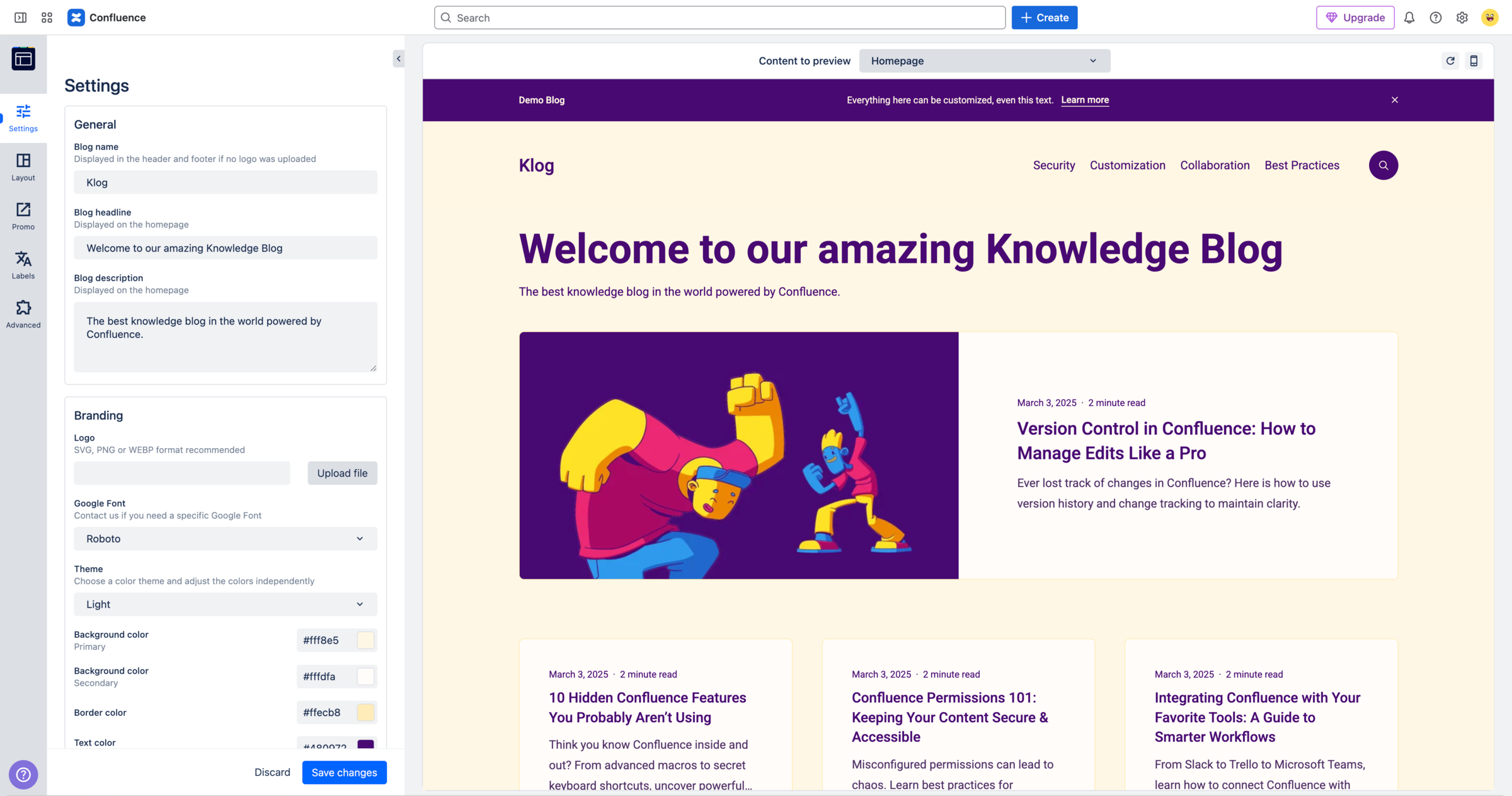
Need help with setting up your Knowledge Blog for Confluence?
If you need assistance with your Knowledge Blog for Confluence, take a look at the Blog Theme documentation or feel free to reach out anytime. We're happy to help and answer your questions.