



Build custom, structured Excel reports from monday.com board data and send them automatically to the right people on schedule.





Use cases + Examples
Turn your monday.com boards
into real website content
Stop duplicating data between monday.com and your website. With the Board to Website
Widget, you can turn any board into a dynamic, searchable and embedded
website widget. Automatically synced with your monday board.
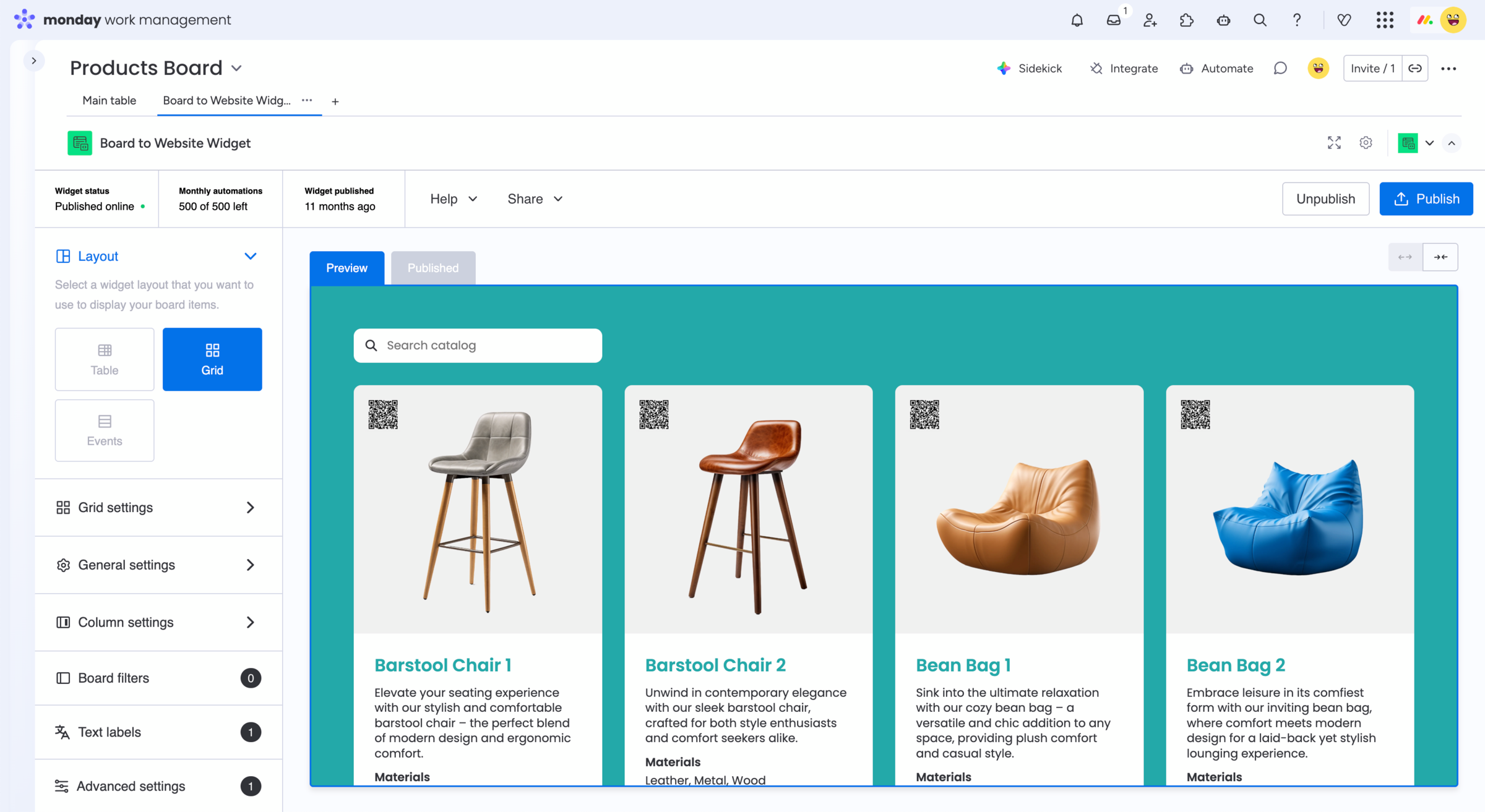
Turn structured monday.com board data into website content
Teams can keep structured information in the monday.com boards they already use and publish selected items and fields to their website.
With the Board to Website Widget for monday.com, you can choose which board data should appear publicly and publish it as a website component:
- Display selected board items and columns on your website
- Republish changes manually or with monday.com automations
- Avoid manually copying the same information to your website
Explore use cases and examples for
monday.com website widgets
Explore real examples of how teams publish structured information from monday.com boards on their
websites. These examples show different ways to present board data publicly, but you can adapt
the setup to the information and workflows you already manage in monday.com.
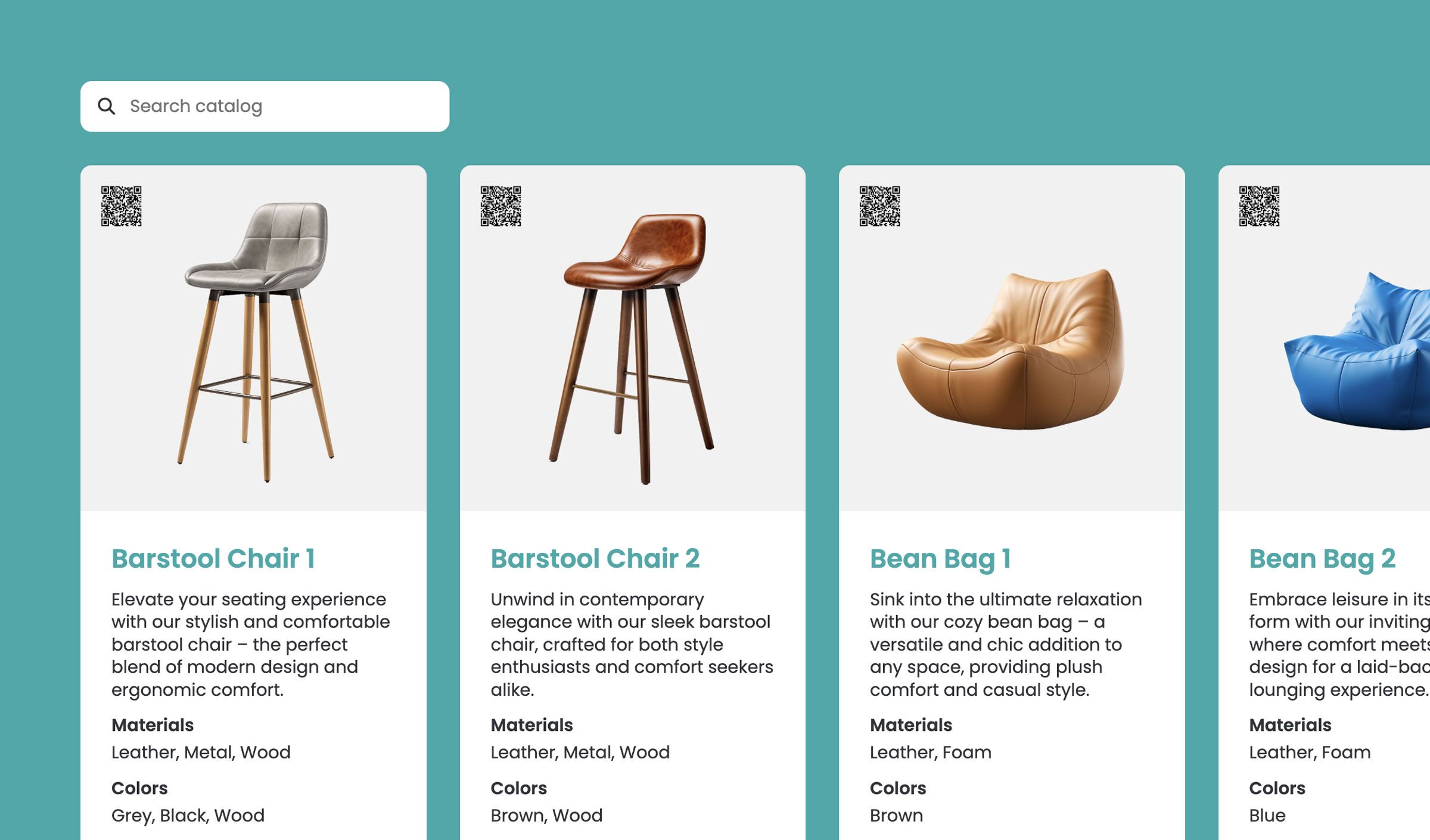
Product catalog
Embed service or product catalogs from monday.com
Create a searchable product catalog from your monday.com board and embed it into your website.
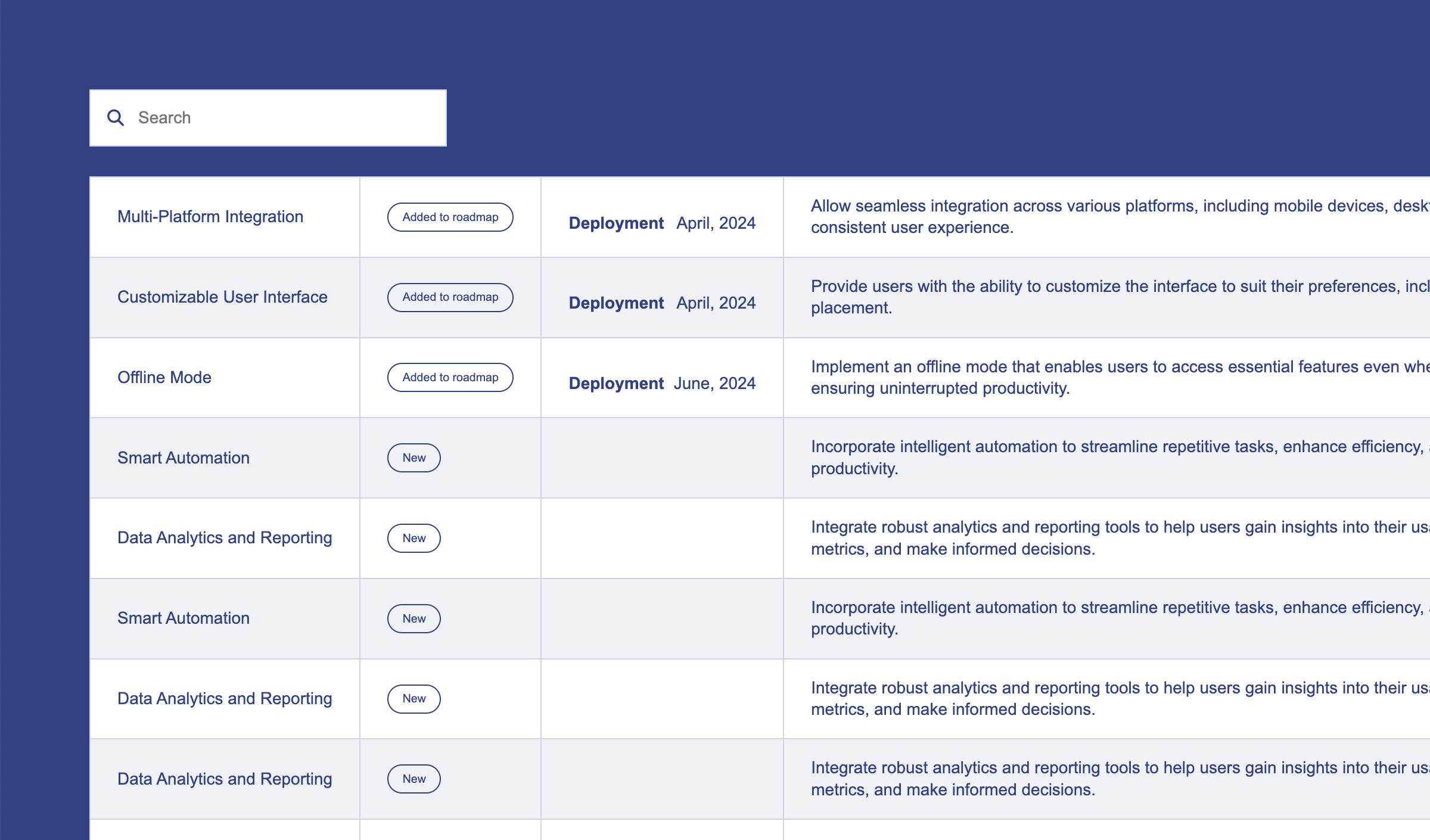
Feature requests
Embed service feature requests from monday.com
Display feature requests from your monday.com board on your website. Turn user feedback into a searchable public roadmap.
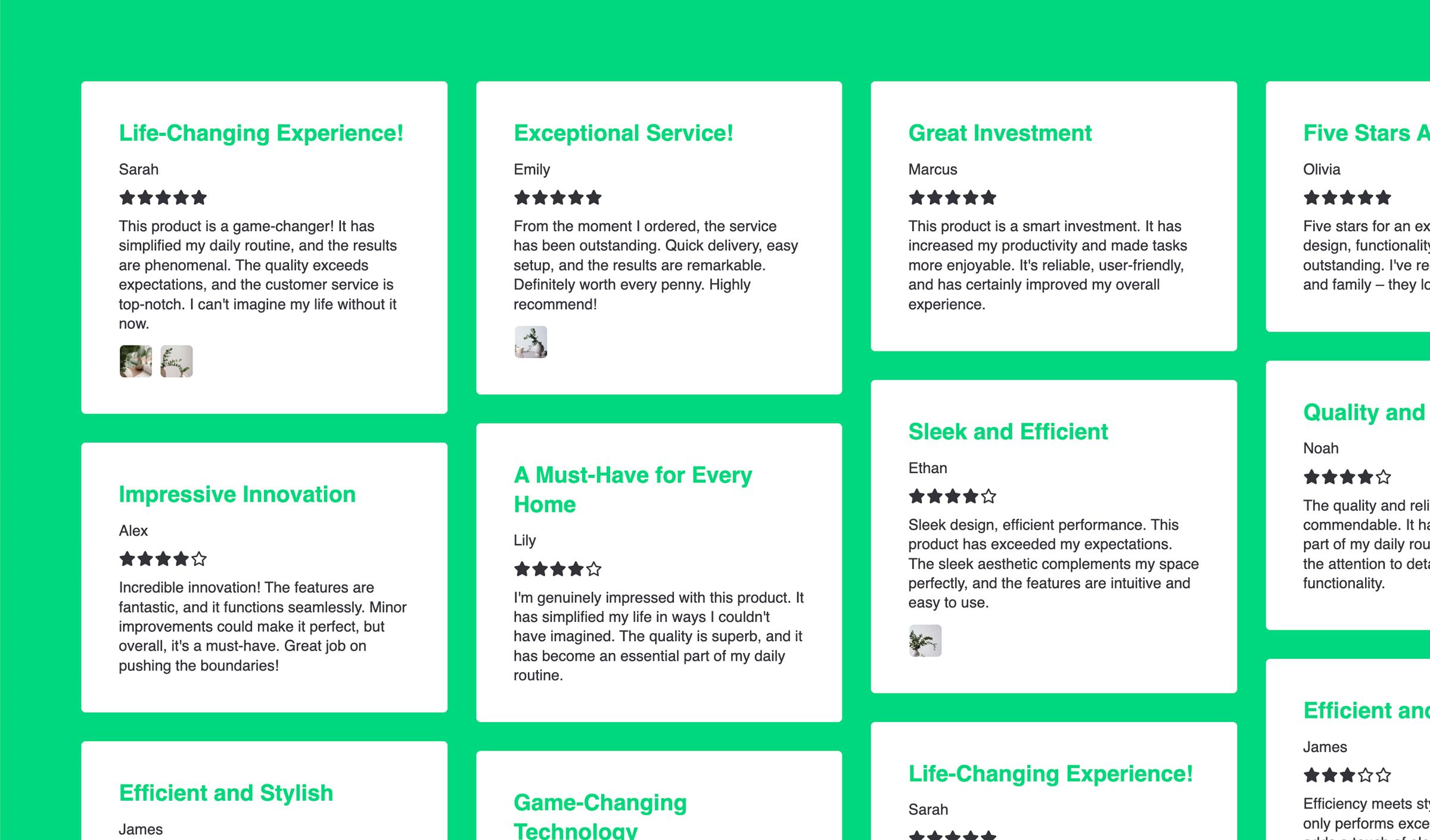
Customer reviews
Customer reviews and testimonials from monday.com
Manage reviews in monday.com and automatically display them on your website. Build trust with a dynamic testimonials section.

Events
Embed events schedule from monday.com
Manage events in monday.com and display them as a calendar-style event listing on your website.

Teams
Embed your team directory from monday.com
Use monday.com to manage team members and display them on your website as a dynamic team page.
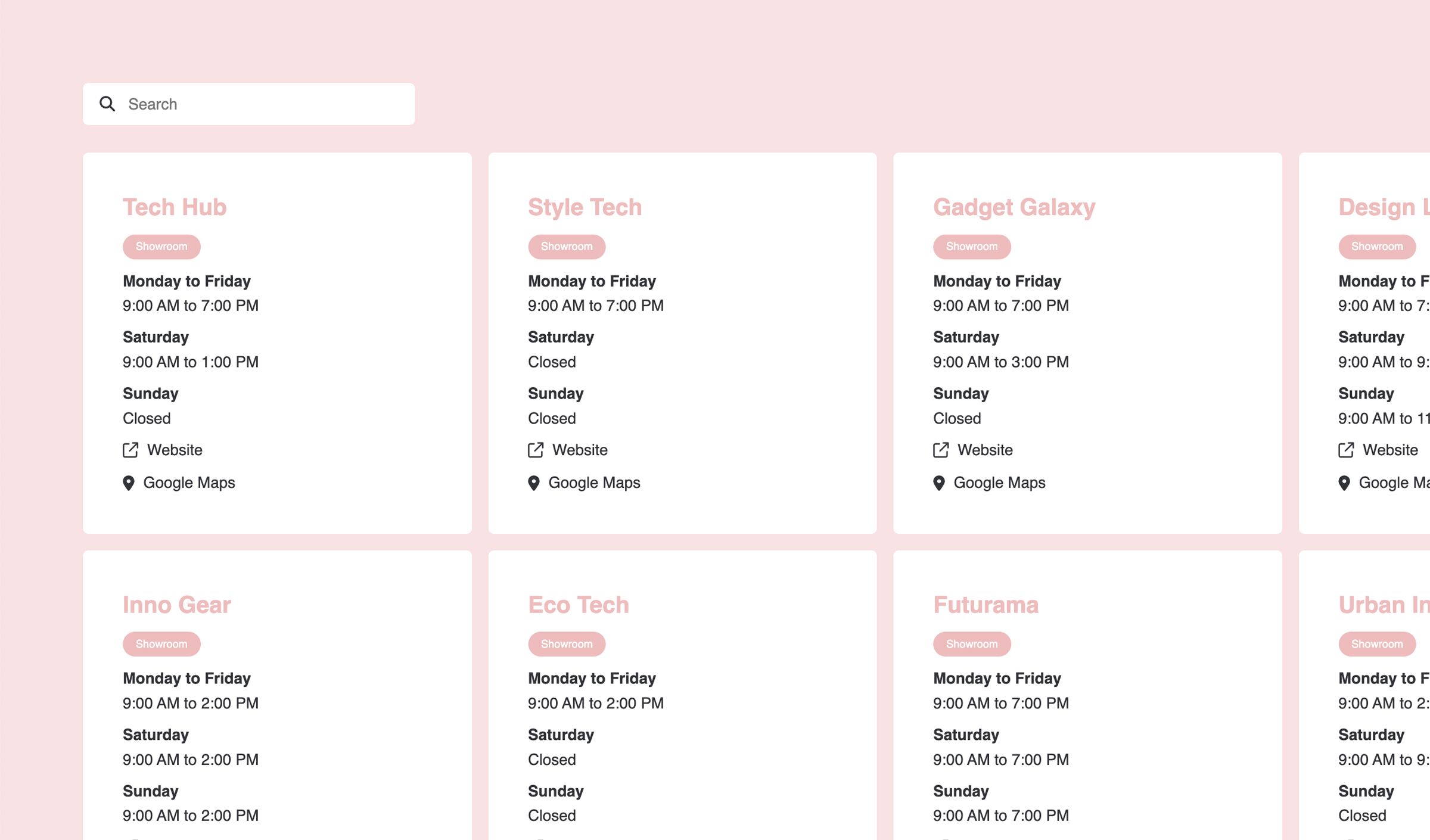
Showrooms
Store locator and showrooms from monday.com
Display business locations or showrooms from your monday.com board on your website.
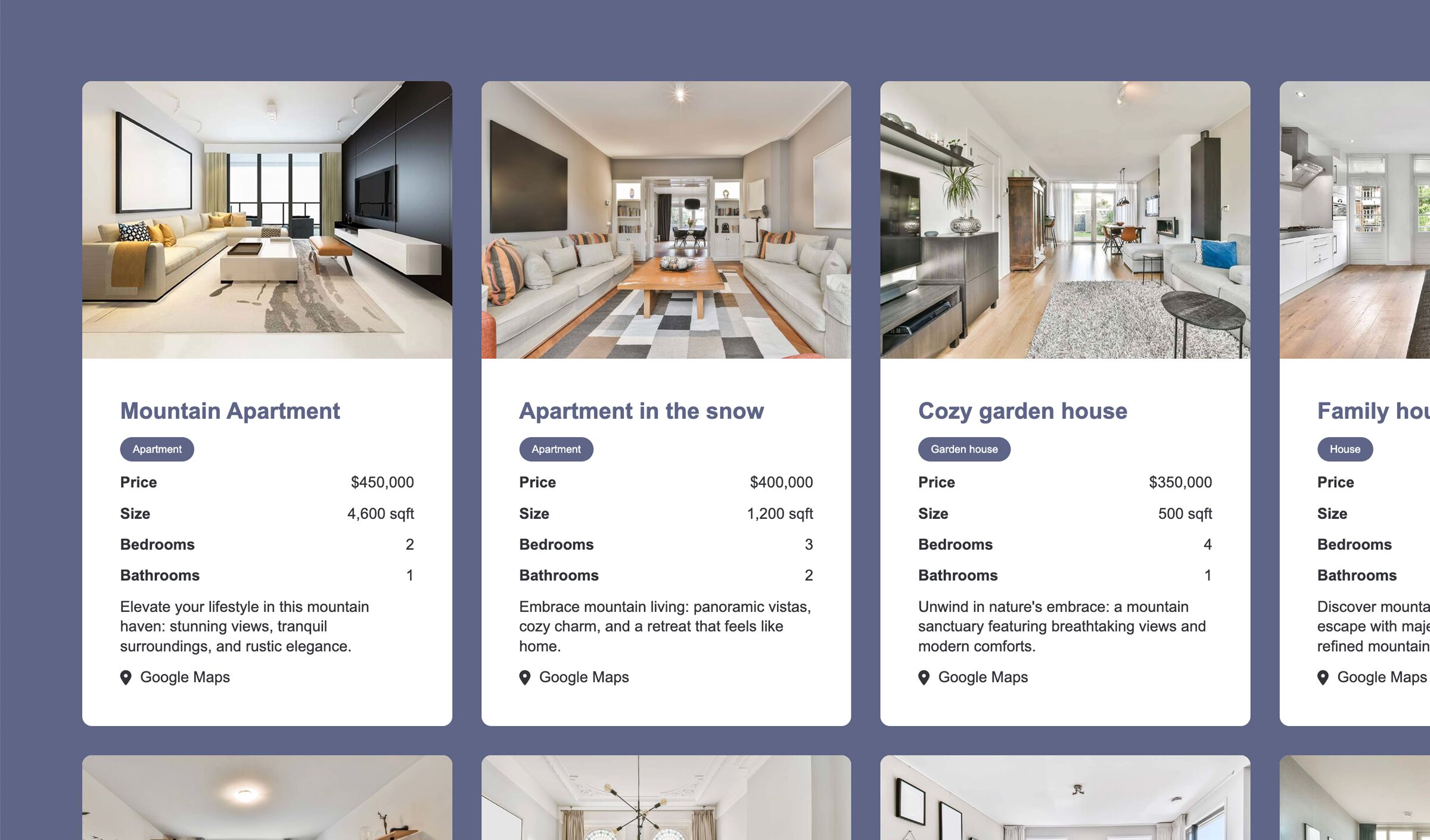
Real Estate
Embed your Real Estate listings from monday.com
Turn your monday.com board into a property listing website. Manage listings internally and publish them publicy.
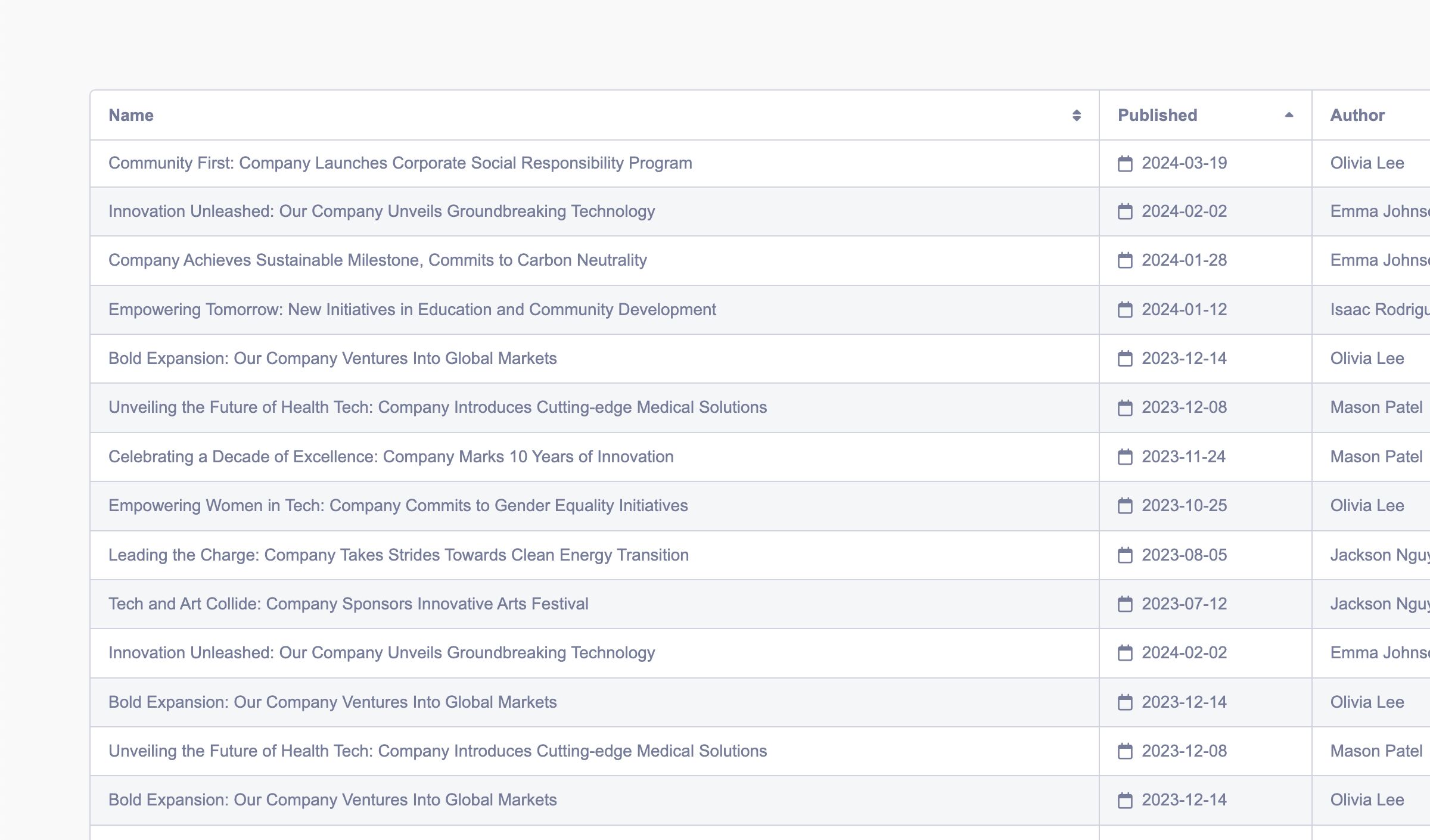
Press releases
Press releases and newsroom from monday.com
Publish company news and press releases from your monday.com board directly to your website.
FAQ
Frequently asked questions about embedding boards from monday.com
Learn more about questions and answers around on how embedding monday.com boards into a website works.
-
Yes, with the Board to Website Widget, you can display data from your monday.com board directly on your website as a fully customizable widget. Instead of sharing a board view, you can present structured data in a clean, user-friendly format.
-
Do I need coding skills to use the widget?
No, the widget is designed to be no-code. You can connect your monday.com board, configure what to display, and embed it on your website with a simple snippet.
-
Which types of boards can I display on my website?
You can use almost any structured board, including: Feature requests, Customer reviews, Product catalogs, Events and calendars, Real estate listings, Team directories, Press releases and news.
-
Will my website update automatically when my board changes?
Yes, the widget stays synced with your monday.com board via automations.
-
Can I control which items are shown publicly?
Yes, you can filter and control which items and columns are displayed. This allows you to keep internal data private while publishing only selected content.
-
Does this work with Webflow, WordPress, or other builders?
Yes, the widget can be embedded on any website that supports custom code, including: Webflow, WordPress, Wix, Shopify, or custom-built websites.
-
Can I customize the design of the widget?
Yes, the widget is customizable to match your website’s design, including layout, fields, and styling. The core idea is to seamlessly embed monday.com board data in an external website.
-
What's the difference between this and embedding a monday.com board view?
Sharing a board view shows as the internal monday.com board design and is not optimized for public use. The widget transforms your board into a clean, structured, and user-friendly interface designed for websites.
-
What types of monday.com board data can I publish on a website?
You can publish structured information from monday.com boards such as product and service listings, directories, properties, locations, team members, resources, event listings, testimonials, press releases and roadmap or feature information. The exact setup depends on how your board is structured and which items, columns and files you want to make public. For a broader explanation of when monday.com works well as the source for structured website information, see our guide on managing and publishing structured website content with monday.com.
Why embed monday.com boards on your website?
Embedding your monday.com boards allows you to share structured information externally without rebuilding it in a CMS. Benefits:
- Single source of truth is monday.com
- Automatic updates via automations
- Fully customizable layouts and design
- Works with any popular website builder

Start turning your monday.com boards into website widgets
Publish your monday.com data as dynamic website content in minutes. No coding required.