Build custom, structured Excel reports from monday.com board data and send them automatically to the right people on schedule.





Project updates with monday.com
Share monday.com project
updates with clients
Keep managing projects in monday.com while giving every client
a dedicated place to follow progress, see milestones,
access files and review deliverables.
Want to see it in action?
Explore demo portals
Project updates
Give clients one place to follow project progress
Project progress
Show clients where things stand
Share current statuses, completed work and next steps without exposing the internal boards and processes on monday.com.
Milestones and deadlines
Keep upcoming work clear
Show important milestones, due dates and upcoming actions so clients know what is happening now and what comes next.
Files and deliverables
Share the latest project work
Give clients access to relevant files, reports and deliverables directly through their portal as the project moves forward.
Connected workflow
Keep monday.com internal and give clients their own project view
Your team continues managing projects, tasks and delivery processes in your monday.com workspace. Client Portal Builder for monday.com turns relevant project data into a separate client experience without duplicating the workflow in another system.
Project update examples
Perfect for teams sharing project updates with clients
Use Client Portal Builder with any monday.com product. Share project updates from workflows managed in monday work management, monday CRM, monday dev or monday service.
 |
 |
 |
 |
Share campaign progress, upcoming milestones, deliverables and approval statuses so clients always know where active work stands.
Keep clients informed about ongoing accounting work, tax processes, document requests and important upcoming deadlines.
Share project phases, design progress, upcoming milestones and important documents throughout planning and delivery.
Share site progress, upcoming milestones, project documents and approval requests throughout active construction projects with stakeholders.
Keep clients updated on engagement progress, completed work, upcoming activities and reports throughout the consulting process.
Share service progress, current work, upcoming actions and completed deliverables throughout the ongoing client relationship.
Keep clients informed about property activity, transaction progress, upcoming milestones and important documents throughout the process.
How it works
Build the client experience around
your existing project boards
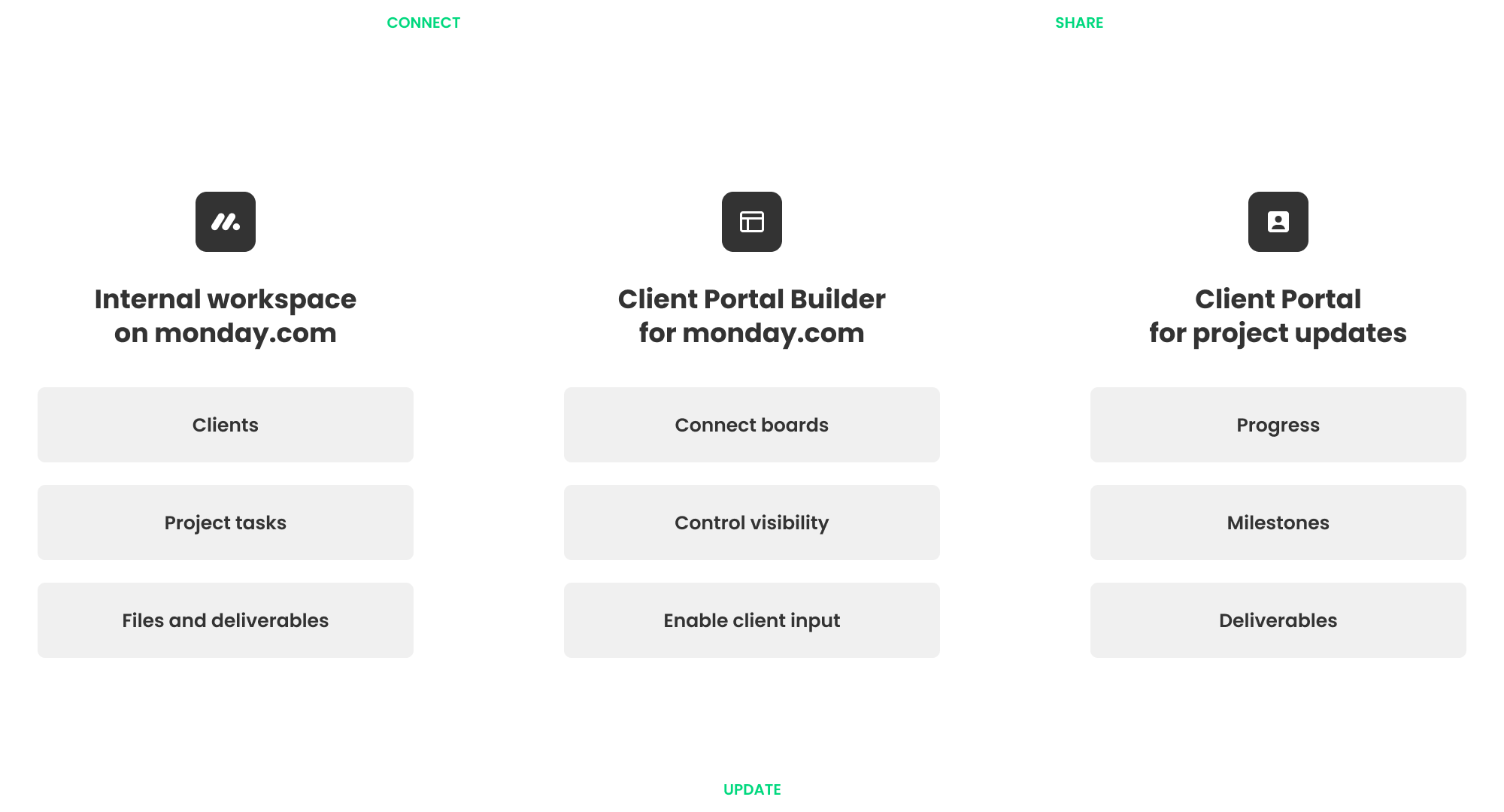
1. Connect project data
Use the boards that already contain project tasks, statuses, milestones, files and other information you want to share with clients.
2. Control client access
Choose which project information, files and deliverables each client can see or interact with directly through their portal.
3. Keep clients updated
Give each client secure portal access while your team continues managing projects and delivery internally in monday.com.

External client access
When sharing project boards with clients is not enough
Shareable Boards and other monday.com collaboration options can work well when you want to share a monday.com board with external users or guests who should participate directly in a board inside your internal workspace.
A dedicated client portal is useful when clients should instead see a simpler project experience containing only the updates, files and actions relevant to them. Learn how to bring one or more monday.com boards into a client portal while keeping the internal project structure intact.
Separate client experience
Keep your internal workspace internal
Give clients a dedicated interface without requiring them to navigate the project boards your team uses internally.
Client specific information
Show each client what matters to them
Connect portal content to individual clients so they only see the project information and updates relevant to them.
Connected workflows
Bring project information together
Combine statuses, milestones, files, deliverables and other relevant data from your monday.com workflow in one client portal.
No monday.com accounts
Give clients separate portal access
Clients can sign in to their portal without becoming users of your monday.com account or accessing your workspace.
Beyond project updates
Support the whole client relationship in one client portal
Project visibility can also become part of a broader client self-service experience, where clients access files, submit requests and take action themselves.
Give clients a clear place to get started: Collect information, files and required documents while guiding clients through the first steps of the relationship.
Keep feedback and decisions moving: Give clients a clear place to review work, leave feedback and approve deliverables or next steps throughout active delivery.
Keep important files easy to access: Share reports, files and completed deliverables while giving clients one place to access documents throughout the project.
Account information
Keep client details available: Give clients access to contacts, agreements, account details and other important information throughout the ongoing relationship.
Example
Turn monday.com project boards
into a client project portal
See how internal project data in monday.com can be turned into a
simpler, more focused client experience with Client Portal Builder.


Questions and answers
Frequently asked questions for sharing project updates
Find answers to common questions about sharing monday.com project updates with clients, including client access, visibility, files, progress and editable portal content.
-
Yes. You can manage projects, tasks, statuses, milestones and files in monday.com while Client Portal Builder gives clients a dedicated place to see the project information relevant to them.
-
Do clients need a monday.com account?
No. Clients access their portal separately and do not need to be users of your monday.com account.
-
Can each client see different project information?
Yes. Portal content can be connected to individual clients so each client sees the projects, updates and information relevant to them.
-
Can I share files and deliverables with clients?
Yes. monday.com File columns can be displayed in the portal so clients can access relevant project files, reports and deliverables.
-
Can clients interact with project information in the portal?
Yes. Supported monday.com columns can be made editable, and action buttons can be used for workflows such as feedback, approvals or other client actions.
Client Portal Builder for monday.com
Share your monday.com project updates in a client portal
Give clients a dedicated place to follow project progress, see milestones and access files and deliverables while your team keeps managing the entire process in monday.com.