



Build custom, structured Excel reports from monday.com board data and send them automatically to the right people on schedule.





Getting started
Getting started with Spreadsheet Gorilla for monday.com
Install the app and create your first template for Excel exports from monday.com, then configure boards, columns and worksheets before previewing and exporting your spreadsheet.
Installation
Install the app
To begin using Spreadsheet Gorilla:
- Go to the monday.com marketplace and open the Spreadsheet Gorilla app listing.
- Sign in if required and install the app into your monday.com account.
- Approve the permissions so the app can access your workspaces and boards.
- Open any board and click
+in the views bar to add the app view.
Did you know?
You can add the app view to any board. Access all templates from within the app dashboard.
Template
Create your first spreadsheet template and get started with exporting from monday.com to Excel
After installation, follow these steps to prepare your first export to Excel from monday.com:
- Open the Spreadsheet Gorilla app view on a board.
- On the dashboard, click
Create template. - Give your template a name and choose whether it is private or shared.
- Optionally add additional boards or subitems to include in the template.
- Adjust columns by removing unnecessary ones or reordering them.
- Click
Previewto inspect how the spreadsheet will look. - Click
Exportand choose your preferred spreadsheet format.
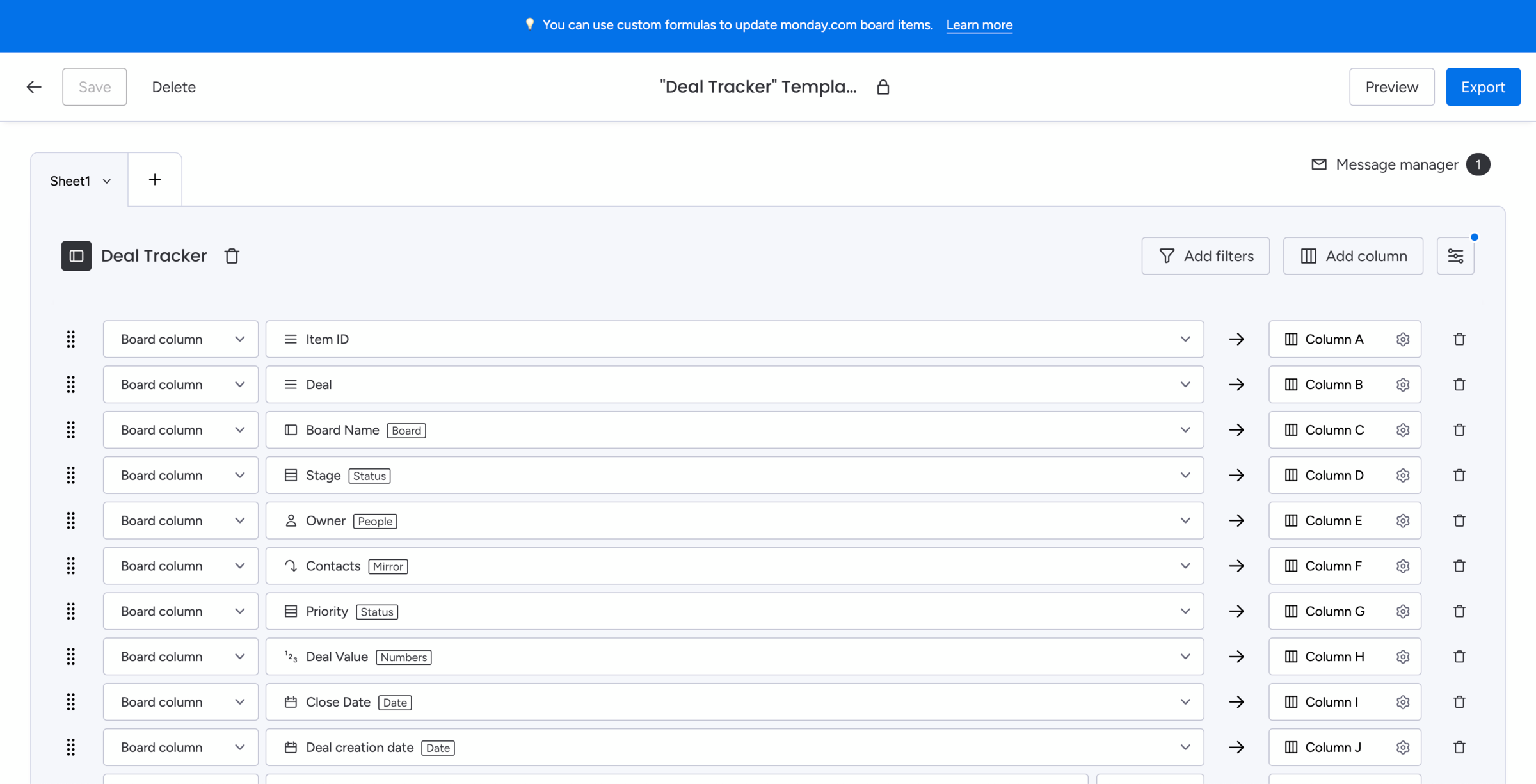
Did you know?
When creating a new template, the default configuration refers to the board you started from.