Build custom, structured Excel reports from monday.com board data and send them automatically to the right people on schedule.




What changed in Client Portal Builder in the first half of 2026
The first half of 2026 brought 51 new features, 36 improvements, and 15 bug fixes to Client Portal Builder. Discover how these updates made building client portals with monday.com even better.

Table of contents
Use the navigation below to quickly jump to your desired section and learn more about each topic.
The Client Portal Builder for monday.com received major updates across nearly every part of the app in the first half of 2026. More than 100 features, improvements, and bugfixes made portals easier to create and manage inside monday.com while expanding how clients can access information, communicate, upload files, and interact with board data.
App updates
Changes in the Client Portal Builder app
We improved how portals are created, customized, and managed inside monday.com. The updates make it easier to structure content, configure board data, adjust branding, and manage portal settings.
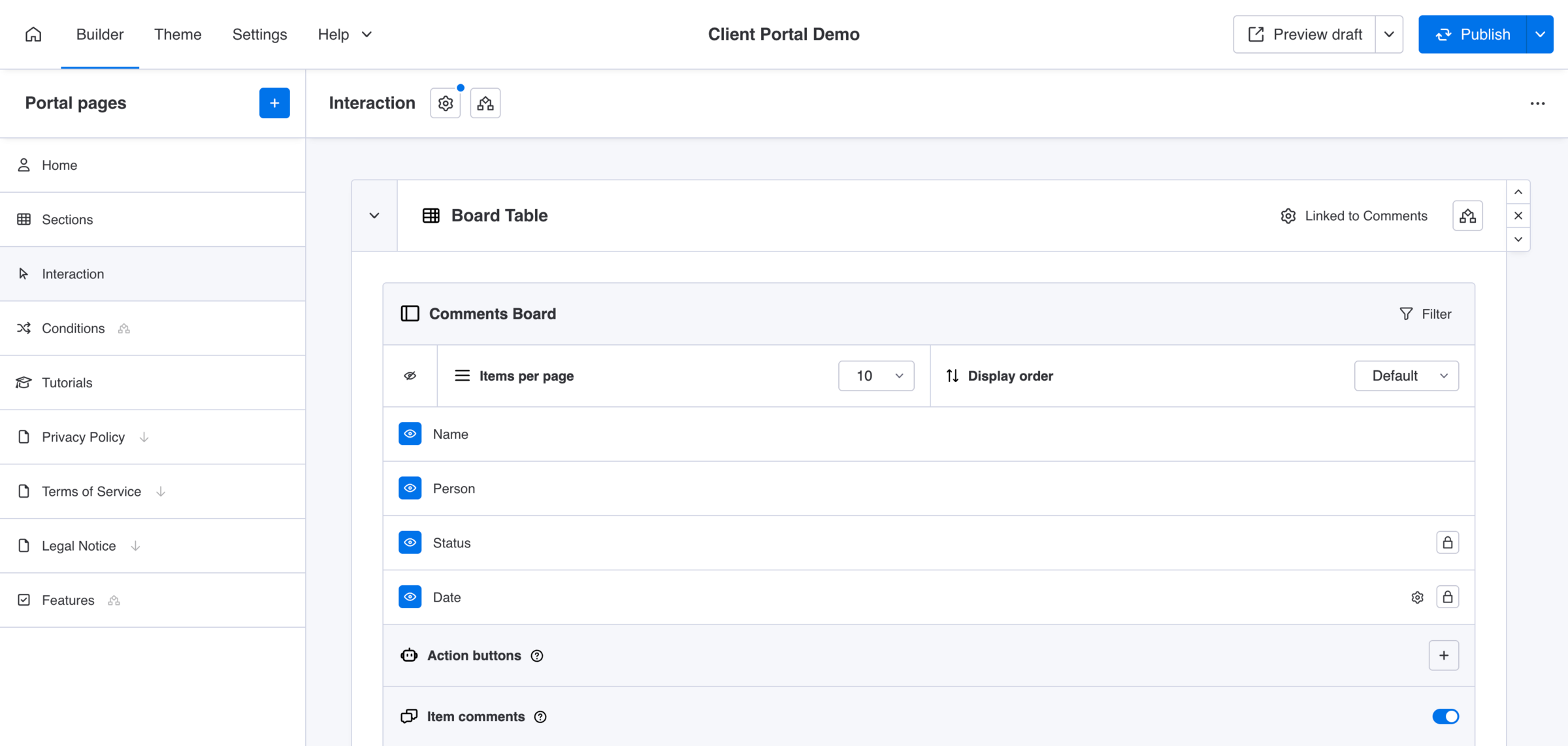
Builder
Pages, sections, and navigation
- Completely reworked how board sources are created and configured
- Added drag and drop ordering for portal pages
- Displayed custom page icons in the Builder navigation panel
- Made sections collapsible, with board sections collapsed by default
- Added one-click controls to show or hide all columns in a board section
- Added one-click duplication for content sections while retaining their settings
- Added the option to hide pages and sections while they are still being prepared
- Added editable page aliases for shorter and more readable portal URLs
- Added drag and drop ordering for Teaser cards
- Added page icons to Teaser cards linked to pages
- Added Teaser deep links to specific sections and support for on-page anchors
- Added a setting to disable automatic data fetching after client interactions
- Added a setting to hide the manual reload button in board tables and grids
- Added Markdown formatting through an integrated content editor
- Added an option for Markdown links to open in a new browser tab
- Made the in-app navigation panel collapse on smaller screens
- Hid monday.com’s floating AI Sidekick button in the app board view
Columns and board content
- Added drag and drop ordering for column settings
- Added an indicator to show when an individual column setting has been customized
- Added custom display names for columns in the client portal
- Added optional headlines above board table and grid sections
- Added a column setting to hide the time value of Date columns
- Added a column setting to hide labels in grid sections
- Added custom Text column values as grid item headlines
- Added custom number formats for Number and Mirror columns
- Added compact display modes for Tags, People, Dropdown, and Connect Boards columns
- Added support for Last Updated, Week, World Clock, and Progress Tracking columns
- Added the
{{client.id}}placeholder for inserting a client’s monday.com item ID - Added client-specific subitem filtering, allowing one parent item to be shared with multiple clients while showing different subitems to each
- Added OR conditions alongside AND conditions for pages, sections, and Action Buttons
- Made placeholders available directly within supported configuration contexts
Drafting and previewing
- Added an indicator showing when the current working draft has been automatically saved
- Improved the visibility of the working draft indicator
- Added the option to preview either the current draft or the published portal
- Added additional portal information when hovering over a portal name
Builder fixes
- Fixed the debounce behavior of the portal page name field
- Fixed an issue that made open dropdown content inaccessible
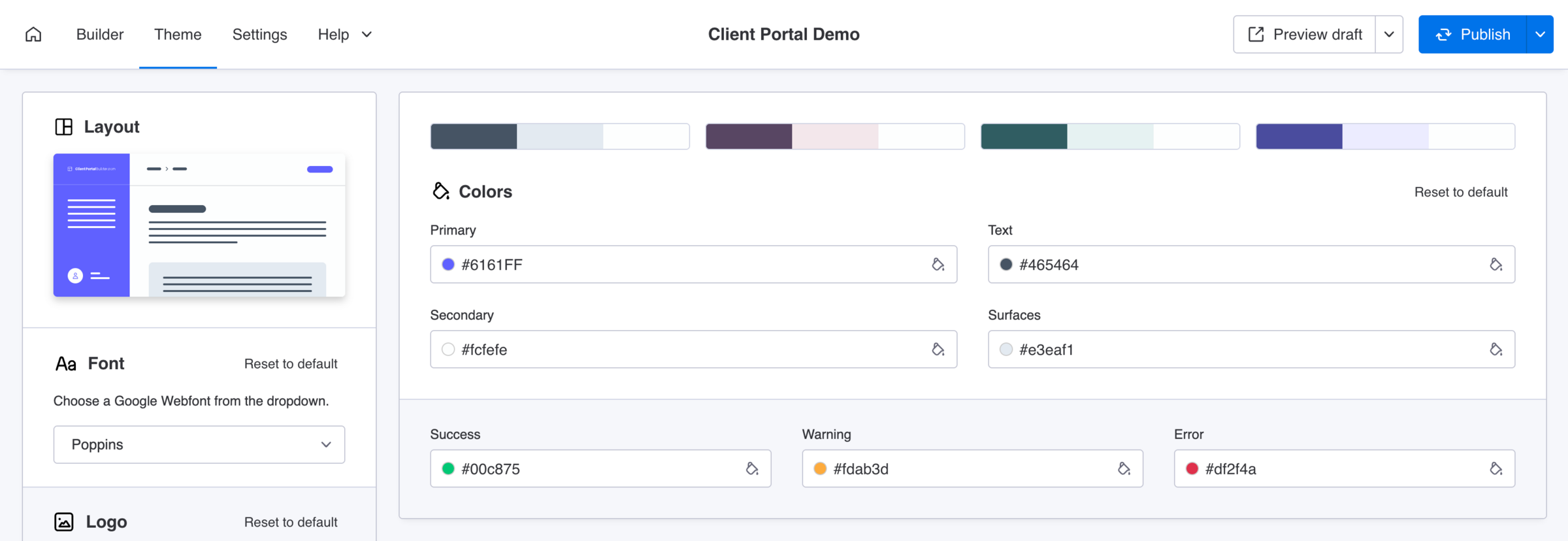
Theme
Color presets and font rendering
- Added predefined color combinations to make portal theme onboarding easier
- Added a setting to collapse the portal navigation panel by default
- Rendered fonts directly inside the font selection dropdown
- Aligned the logo background with the selected primary theme color
- Optimized input debounce behavior in the Theme settings
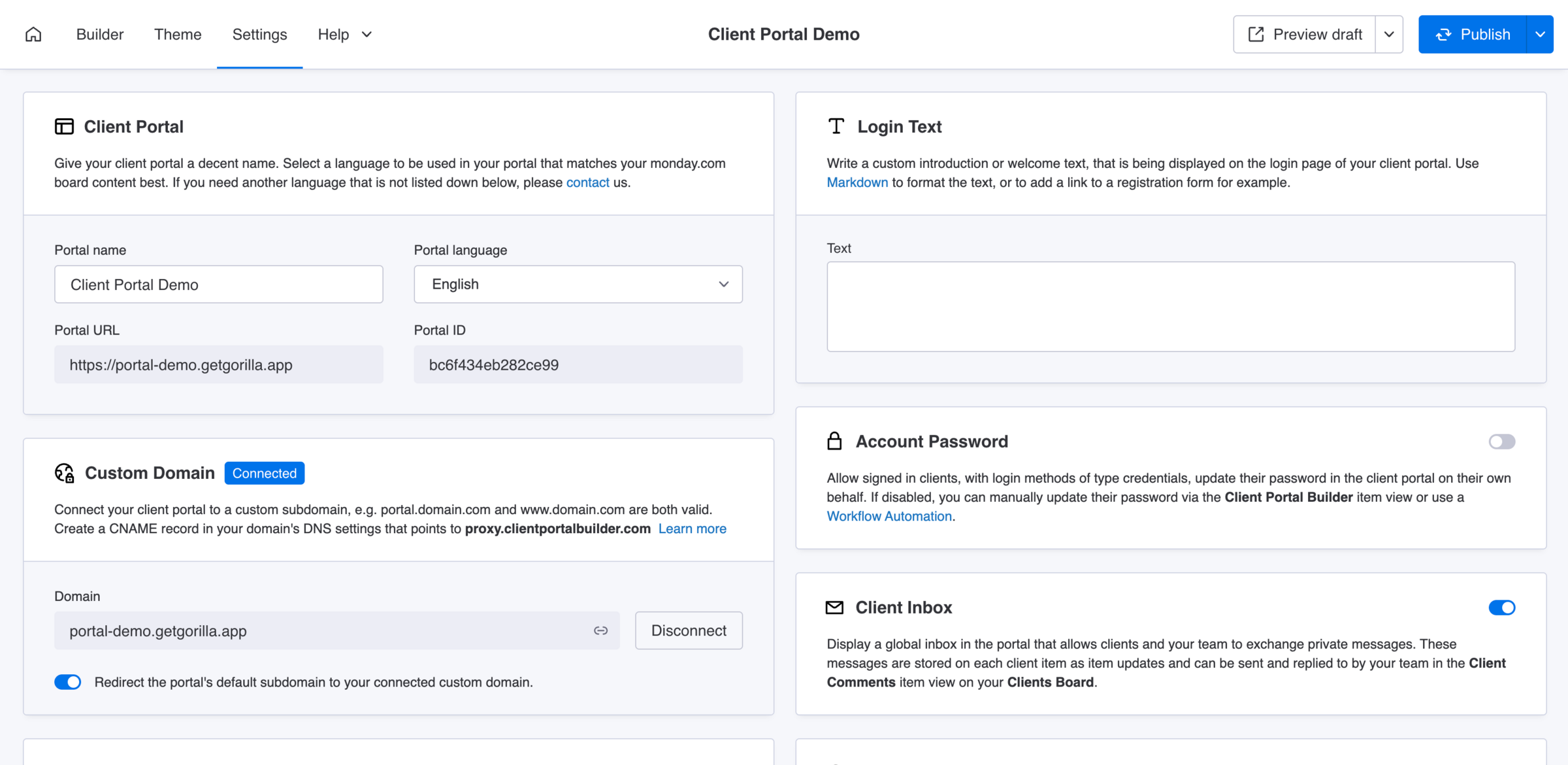
Settings
Access and domains
- Added an option to overwrite existing client login methods in the Client Settings view
- Added an option to redirect the default portal subdomain to a connected custom domain
Loading and refresh behavior
- Added optional portal caching to improve loading performance
- Enabled caching by default for newly created client portals
- Added automatic mismatch handling for dedicated board configurations
- Optimized the technical handling of the Secure Storage Cache
Miscellaneous
Guidance and configuration
- Reworked and expanded descriptions throughout the builder and portal settings
- Updated in-app help links to point to the new Client Portal Builder documentation
Dashboard and administration
- Added a central Client Portal Admin view with an overview of all portals on the account
- Improved the Admin view’s empty state and added relevant help links
- Added accurate regional system uptime information to the in-app dashboard
Clients Board and automations
- Added new monday.com Workflow and Board automation triggers and actions
- Improved error descriptions for selected Clients Board automations
Ready to build a client portal with monday.com?
Learn more about the benefits and use cases of monday.com client portals, discover how to build a client portal with monday.com, or explore the Client Portal Builder demo from a client’s perspective.
Portal updates
Changes in the Client Portal
The client-facing portal became more interactive, flexible, and reliable. Clients can find information faster, communicate more easily, work with files and board data, and enjoy a smoother experience across devices.
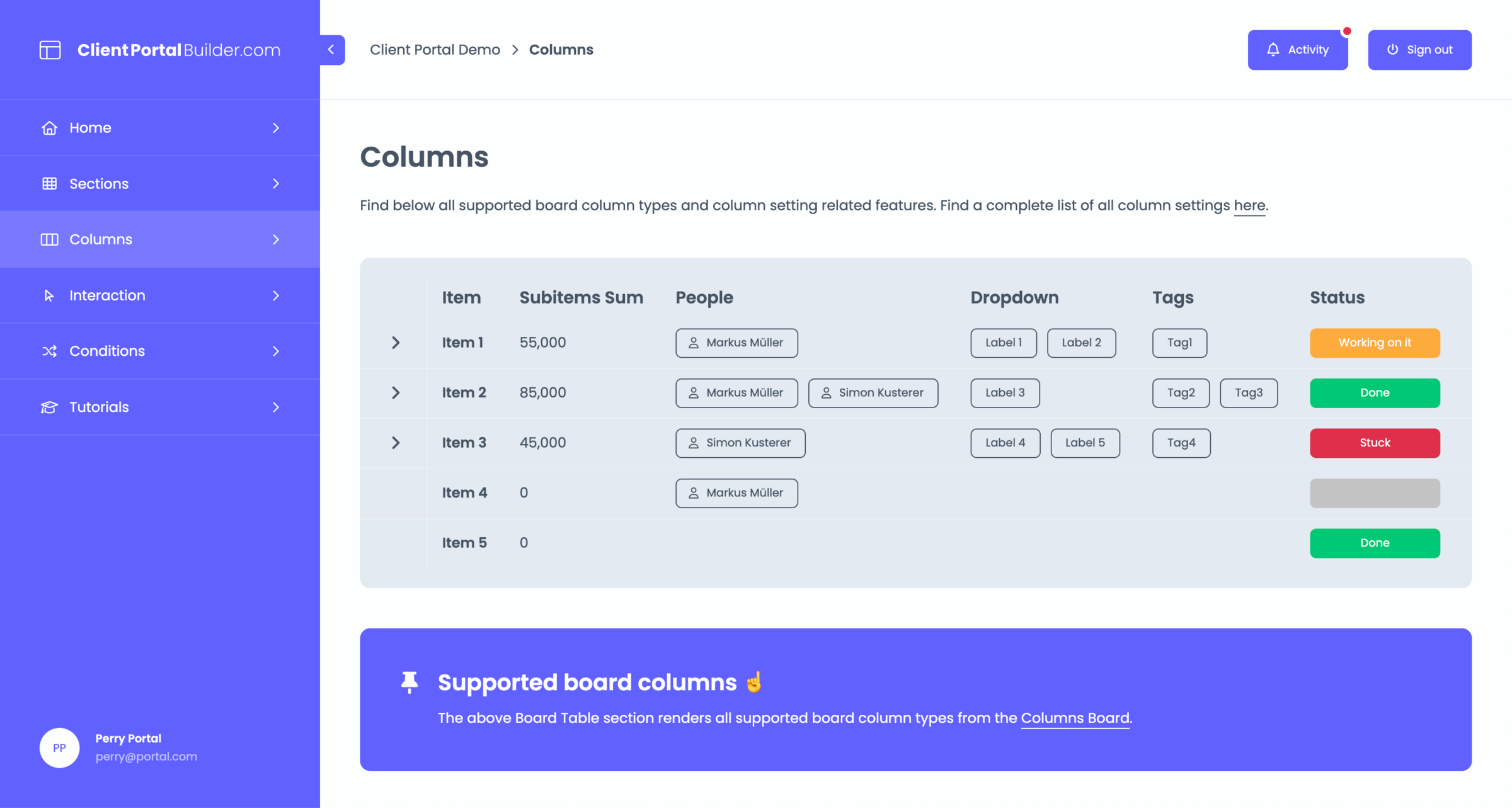
Navigation and content presentation
- Optimized the collapsed sidebar for icon-only navigation while retaining icons for context
- Automatically hid empty Text, Callout, Embed, and Teaser sections
- Pinned Action Buttons in board tables so they remain visible on desktop
- Adjusted the display height of images loaded from File columns
- Aligned illustration colors with text colors in portal error messages
Board data and column display
- Added support for editable Date columns
- Added custom column names that are independent of their monday.com board names
- Added custom grid headlines based on Text column values
- Added support for hiding individual grid column labels
- Added compact displays for Tags, People, Dropdown, and Connect Boards columns
- Added custom formatting for Number and Mirror columns
- Added support for Last Updated, Week, World Clock, and Progress Tracking columns
- Merged item comment and subitem triggers into a single Clients Board table cell
- Displayed Progress Tracking values as percentages so clients can follow item progress
- Correctly displayed empty Status column values using their configured default colors
Column and display fixes
- Fixed long Status values being cut off too early in board grids and Client Item sections
- Fixed duplicate empty Status options in the item editing dialog
- Fixed table row action cells appearing when no actions were available, including a follow-up correction in June
Items, subitems, and filtering
- Expanded item editing to Client Item sections and table subitems
- Added a read-only item detail sidebar for tables and grids
- Added search across item names and selected column values in tables and grids
- Added a manual reload button to board tables and grids
- Automatically reactivated clicked Action Buttons after five seconds
- Fixed inaccurate filtering when using Status columns with the “any of” operator
- Fixed filtering involving default Status columns and the “any of” operator
- Fixed mobile input autofocus behavior
Messaging and comments
- Added the global Client Inbox for private communication between teams and clients
- Displayed the client’s login method name in item comment updates
- Reworked the new-comment indicator for item comments and item activity
- Fixed item comments that displayed an unknown creator
- Fixed the display of item comments on mobile devices
Files and uploads
- Added file previews for images, videos, and PDF files before downloading
- Increased the maximum client upload size from 8 MB to 50 MB
- Added multi-file uploads to File columns, item comments, and Client Inbox messages
- Kept file upload progress visible until the complete upload process had finished
- Fixed upload states not resetting after files were uploaded
- Fixed completed file upload states remaining visible after completion
Languages and accessibility
- Added Portuguese as a portal language
- Added Polish as a portal language
- Added Hebrew as a portal language with right-to-left support
- Optimized portal breakpoints for a better mobile experience
- Optimized multiple portal interface elements for mobile devices
- Fixed interface elements that displayed incorrectly with Hebrew
Performance and reliability
- Improved board section loading times by approximately one second when sections contain files
- Reworked portal error handling with clearer descriptions, copyable trace IDs, and error codes
- Added a portal banner that appears when monday.com API error rates are higher than usual
- Extended client login sessions to 12 hours and later to one week
- Made email addresses case-insensitive during portal login
- Fixed portal tooltips appearing underneath other interface elements
- Fixed tooltip positioning and display while images were loading
Discover our tutorials, guides and
new updates for monday.com
- All
- Client Portal Builder
- Board to Website Widget
- Spreadsheet Gorilla
- Exported Excel Cleaner
How to create a self-service client portal with monday.com

Give clients one secure and dedicated place to find information, submit requests and manage their part of the workflow while your team keeps working in monday.com.
How to use monday.com boards in a client portal

Turn existing monday.com boards into client friendly portal pages and sections while keeping projects, requests, documents and other workflows organized for your internal team.
How to automate client portal workflows in monday.com
Connect client portal access to your monday.com workflow so client accounts, invitations and next steps can happen automatically as clients move through your process.
How to create personalized views in a monday.com client portal

Configure, publish and maintain one client portal for all clients while showing each stakeholder or external user only the monday.com items, pages and information relevant to them.
The best monday.com Marketplace apps for extending your workflows

Compare useful monday.com Marketplace apps by the workflows they extend, from advanced forms and document generation to multi-board sync, time tracking, backups and more.
How to manage client communication in a monday.com client portal

Keep client conversations connected to the right projects and monday.com items while giving clients one place for messages, feedback and files in a dedicated client portal.
The 6 best ways to build a client portal with monday.com

Compare six ways to build a client portal with monday.com and see how each approach handles client access, data separation, setup and ongoing maintenance.
How to create a weekly project status report from monday.com in Excel
Learn what a weekly project status report should include and how to turn monday.com data into a structured Excel workbook for recurring stakeholder reporting.
How to manage client approvals in a monday.com client portal
Give clients a dedicated and focused place to review and approve work while feedback, approval statuses and next steps stay connected to your internal monday.com workflow.
How to publish Confluence blog posts publicly

Are you looking for a way to publish Confluence blog posts for external readers? In this post, we’ll explore how to turn Confluence content into a public blog with Scroll Sites and blog themes.
How to let clients update monday.com items through a client portal
Let clients update selected and existing monday.com items directly from their client portal while your team keeps the underlying records and workflows in monday.com.
How to build a client portal with monday.com in less than 5 minutes
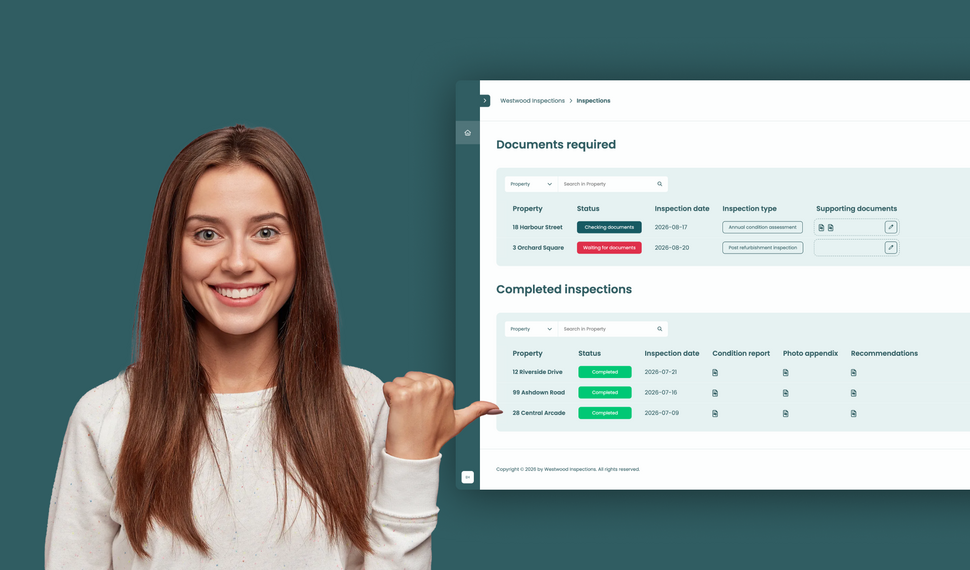
Learn how to build a simple file exchange client portal connected to monday.com, where clients can upload required documents, track inspection progress, and access completed reports.
How to collect client requests with forms in a monday.com client portal
Let clients or external stakeholders submit structured requests through forms in their monday.com client portal while your team manages every submission directly in your monday.com workspace.
How to build a client portal with monday.com for your agency
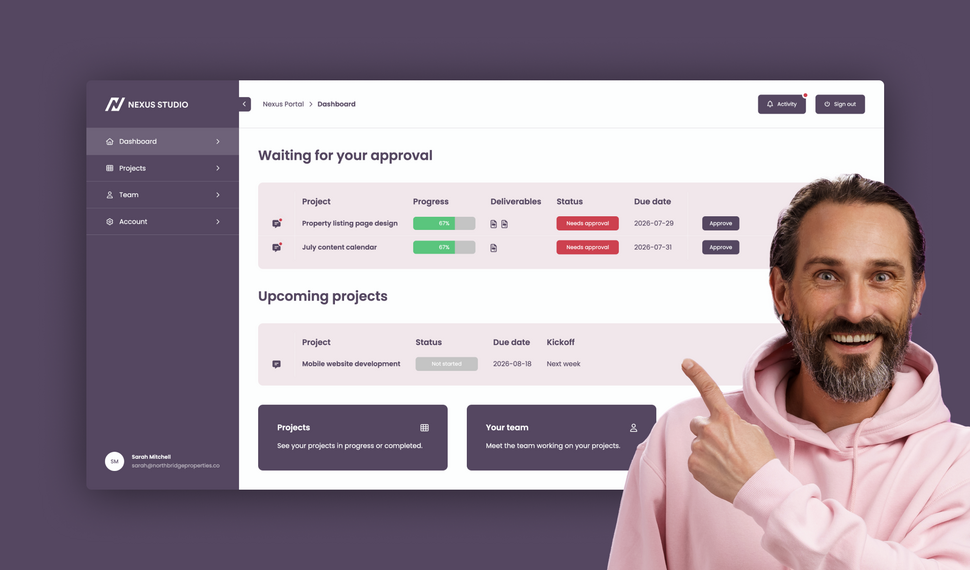
Learn how to build a branded agency client portal connected to monday.com, where clients can track projects, approve deliverables, contact their team, and access account information and contracts.
What changed in Client Portal Builder in the first half of 2026

The first half of 2026 brought 51 new features, 36 improvements, and 15 bug fixes to Client Portal Builder. Discover how these updates made building client portals with monday.com even better.
How to plan and create automated Excel reports with monday.com

Learn how to automate monday.com reporting and export board data to Excel using reusable spreadsheet templates, formulas, and automation workflows with Spreadsheet Gorilla for monday.com
Let clients search and filter board items inside your Client Portal

Clients can now search for items and selected column values directly inside your monday.com Client Portal, making large tables and grids easier to navigate and faster to use.
File preview directly inside your monday.com Client Portal

Clients no longer need to download files to review them. With the new file preview feature, images, videos, and PDFs can now be viewed directly inside monday.com Client Portals.
Client Inbox for global messaging in monday.com Client Portals

Item comments remain essential for contextual collaboration. The new Global Client Inbox adds a dedicated private messaging space between clients and monday.com teams.
Introducing our new documentation hub across all apps

We’ve launched a new documentation for all our apps. It’s clearer, more structured, and designed to help you get answers faster, whether you’re just getting started or configuring advanced setups.
Expanded support for item editing in monday.com Client Portals

Allowing clients to update information directly inside the portal makes collaboration faster and more efficient. This update expands item editing capabilities in monday.com Client Portals.
What’s new on monday.com? Feature update in January 2026
Here’s what’s new on monday.com in January 2026. This month’s updates introduce faster navigation with Recents, easier content creation from Sidekick, and new enterprise board roles.
Reworked setup flow for connecting boards in monday.com Client Portals
Connecting monday.com boards to your client portal is one of the most critical steps in building a useful, dynamic workspace. We made this process clearer, more flexible, and easier to manage.
Semiannual feature recap from Gorilla Apps in December 2025

Client Portal Builder introduced a redesigned dashboard with activity charts and improved onboarding. Spreadsheet Gorilla added a board diagnosis tool and more flexible exports.
What’s new on monday.com? Feature update in December 2025
Here’s what’s new on monday.com in December 2025. This month’s updates introduce a more visual way to create items, improved notification control, and more flexible CRM sequencing.
How to share your monday.com boards with external users and guests
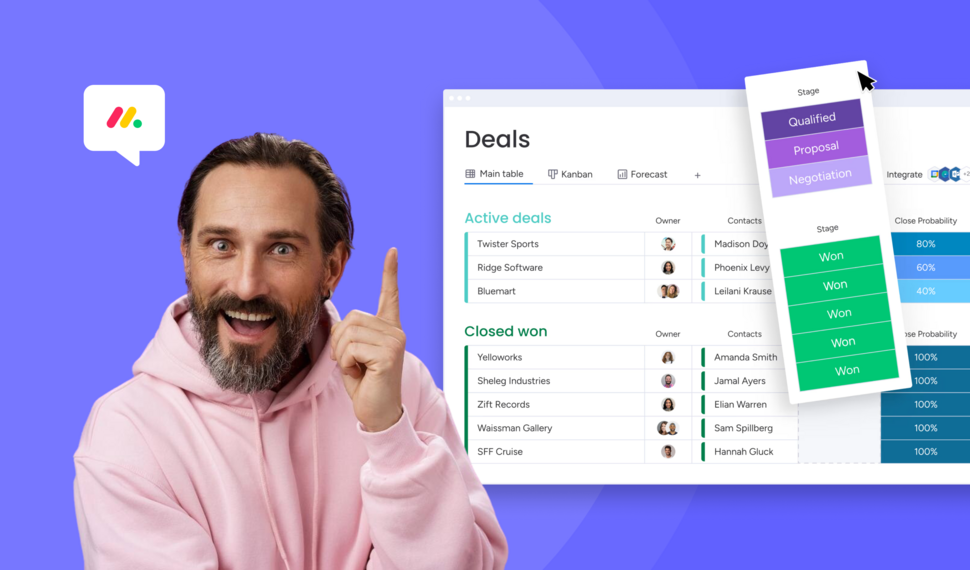
Sharing monday.com boards with external users and guests is easy. In this post, we’ll cover the built-in options, their pros and cons, and why a monday.com client portal is often the best solution.
Turn Confluence into a Blog with dedicated Blog Themes for Scroll Sites

Are you looking for a way to turn your Confluence space into a blog? In this post, we'll explore how to create and publish knowledge, product and classic blogs right from Confluence with Scroll Sites.
What’s new on monday.com? Feature update in October 2025
Here’s what’s new on monday.com in October 2025. This month’s updates center on smarter forms, recovery options, deeper search, and new sprint workflow triggers. Learn more about each new feature.
Set up and use Google Auth in Client Portal Builder for monday.com

Want to allow your clients to sign in to your client portal with Google Authentication? This guide covers everything you need to know about how to set up and use Google Auth with your client portal.
Embed monday.com boards into Squarespace, Wix, WordPress or Webflow
In this guide, you learn how to seamlessly embed monday.com boards as fully branded and synced website widgets into your website made with Squarespace, Wix, WordPress or Webflow.
What’s new on monday.com? Feature update in September 2025
If you're using monday.com, you’ll want to know about the recent enhancements rolling out this fall. From smarter AI suggestions to new service capabilities, here’s what’s new in September 2025.
Create workflows to automate everything in your client portal

Want to automate everything in your monday.com client portal? This guide covers everything you need to know about how to create automation workflows with the Client Portal Builder.
Does monday.com have a Client Portal for external users?

Yes, monday.com has a Customer Portal for monday service. For broader external client access to projects, files, and board data, Client Portal Builder may be the better fit. Learn more about the options.
What’s new on monday.com? Feature update in August 2025
Here’s what monday.com introduced in August 2025. These updates focus on smoother navigation, deeper AI integration, and smarter CRM task sequencing. Read the breakdown of what’s new.
Let your clients edit specific board items right in their client portal

Want to let your clients easily edit specific board items in their client portal? This guide covers everything you need to know about how to enable and make item editing a breeze for your clients.
What’s new on monday.com? Feature update in July 2025
Here’s what monday.com introduced in July 2025. This month’s enhancements center on AI evolution, platform consistency, and deeper integrations. Below is a breakdown of all new updates.
Semiannual feature recap from Gorilla Apps in June 2025

Client Portal Builder added conditional pages and sections, item commenting with automations, new Google login options, and a refreshed UI with draft management and performance boosts.
Client Portal Builder vs Softr for monday.com: Which fits your workflow?

Both Client Portal Builder and Softr can build client portals on top of monday.com. We compare how they differ in setup, flexibility, client access, communication, automations and pricing.
What’s new on monday.com? Feature update in June 2025
Here’s what monday.com rolled out in June 2025. This month’s updates focus on faster form creation, easier reporting, and stronger control for enterprise teams. Read more about the new features from June.
Chat and share files with clients on board items in your Client Portal

Want to easily chat and share files with clients in your monday.com client portal? This guide covers everything you need to know about how to configure and make use of item comments in your client portal.
What’s new on monday.com? Feature update in May 2025

Here’s what monday.com rolled out in May 2025. This month’s enhancements center on clearer hierarchy, smoother scheduling, better integration between docs and boards, and stronger consistency control.
Show content sections and pages conditionally in your client portal

Want to display portal content and pages conditionally and only to specific clients in your monday.com client portal? This guide covers everything you need to know about managing conditions.
What’s new on monday.com? Feature update in April 2025
Here’s what monday.com rolled out in April 2025. This month’s changes focus on personalization, smarter canvas tools, workflow enhancements, and a much deeper AI flexibility.
Let your clients trigger monday.com automations from your client portal

Want to let your clients trigger predefined monday.com automations on board items in your client portal? This guide covers everything you need to know about managing action buttons.
What’s new on monday.com? Feature update in March 2025
Here’s what’s new on monday.com in March 2025. This month’s updates bring deeper form flexibility, more control over item identifiers, personalization in board views, and visibility into API usage.
Format text sections with Markdown in the Client Portal Builder
Want to format text in your client portal on monday.com to your needs? This guide covers everything you need to know about how to make use of the Markdown syntax to shape your text.
What’s new on monday.com? Feature update in February 2025
Here’s what’s new on monday.com in February 2025. This month focuses on navigation clarity, personalization in the app marketplace, more powerful workflow logic, and smarter AI behavior.
Embed monday.com WorkForms into the Client Portal Builder

Want to embed monday.com WorkForms in your client portal on monday.com? This guide covers everything you need to know about how to embed and display WorkForms in your client portal.
What’s new on monday.com? Feature update in January 2025
Here’s what’s new on monday.com in January 2025. This month’s updates hone usability, security, and AI ties. Especially in WorkForms, canvas views, column logic, and permissions.
Semiannual feature recap from Gorilla Apps in December 2024

Client Portal Builder gained custom domains, multi-region hosting, subitem support and markdown callouts. Spreadsheet Gorilla introduced group filters and quick actions.
Connect a custom domain to your Client Portal on monday.com

Connect and use your own domain for a client portal built on monday.com and give clients a familiar address such as portal.company.com for a fully branded client experience.
Display monday.com board items in your Client Portal to your clients

Want to give access and display select monday.com board items to your clients in your client portal? This guide covers everything you need to know about how to create and manage board sources.
Getting started with the Client Portal Builder for monday.com

Want to build a Client Portal on top of your monday.com boards? This guide covers everything you need to know about how getting started building your Client Portal directly on monday.com
What’s new on monday.com? Feature update in October 2024
Here’s what’s new on monday.com in October 2024. This month’s releases bring more flexible views, smarter AI data extraction, upgraded workflow depth, and refined notification settings.
How do I create digital product catalogs from monday.com board items?
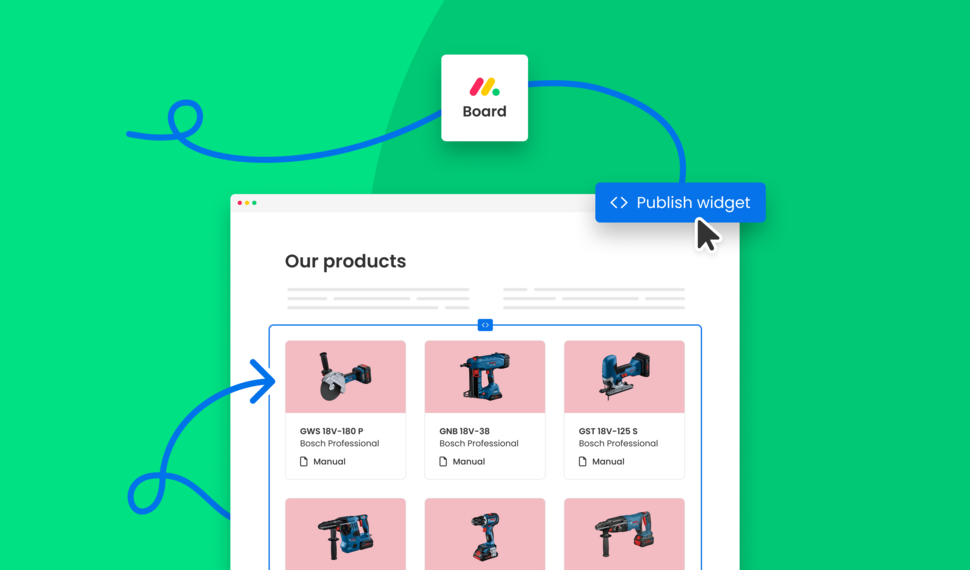
Are you looking for a way to create a digital product catalog from a monday.com board? In this guide, we'll explore how to create a product catalog that can be seamlessly embedded into a website.
What’s new on monday.com? Feature update in August 2024
Here’s a look at the features monday.com released in August 2024. This month’s updates improve date logic, form flexibility, invitation workflows, and integration permissions.
Semiannual feature recap from Gorilla Apps in June 2024

We introduced Dynamic Boards, easier automation setup, and faster board appending in Spreadsheet Gorilla, while laying the groundwork for our next monay.com app: Client Portal Builder.
How do I export and email Excel spreadsheets on monday.com?
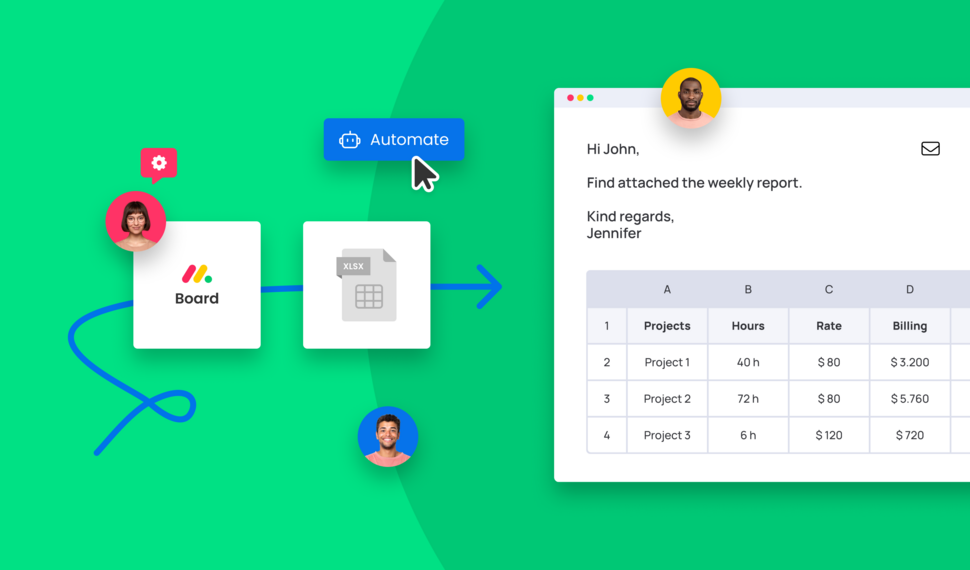
Are you looking for a way to send emails with attached Excel spreadsheets through monday.com automations? In this guide, we'll explore how to recurrently email Excel reports based on monday.com boards.
How do I make use of Spreadsheet Gorilla for monday.com?
Spreadsheet Gorilla is a powerful tool for everything spreadsheets on monday.com and beyond. In this guide we will explore all the apps' features like exporting to Excel, and how you can utilize them.
How do I embed a monday.com board on my own website?

Are you looking for ways to embed your monday.com boards directly into your website? In this guide, we'll explore all the options of embedding a monday.com board seamlessly into websites.
How do I remove the monday.com branding from Excel exports?

Are you looking for a solution to clean up Excel exports from monday.com? In this guide, we'll discover all options on how to remove the monday.com logo and the default formatting from Excel files.
What is monday.com and why is it so popular across many industries?
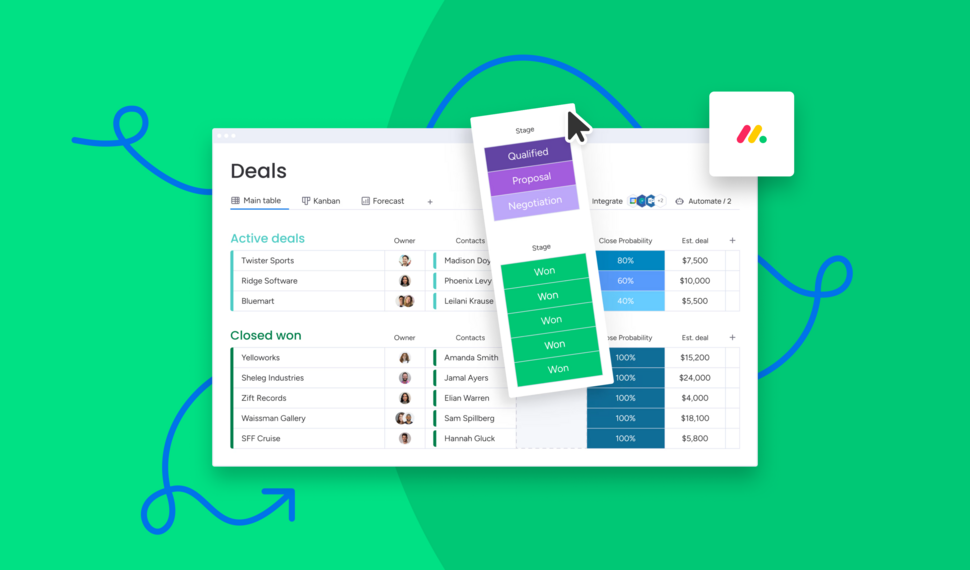
Are you looking for a comprehensive guide of why you should use monday.com for your business? In this guide we will quickly spotlight the key features of monday.com and why it's the most flexible business tool.
How do I use formulas across monday.com boards to update board columns?

Need formulas to calculate across multiple monday.com boards? Spreadsheet Gorilla lets you calculate values with spreadsheet Excel style formulas and update board columns from the result.
Interested in a product demo?
Let's learn about your requirements, answer questions, and
review ways how we can help you and your organization with
our monday.com apps and solutions.