



Build custom, structured Excel reports from monday.com board data and send them automatically to the right people on schedule.





Formatting text
Format client portal text with Markdown
Use Markdown in Client Portal Builder for monday.com to structure Text and Callout sections with headings, lists, links and basic formatting.
Using Markdown
How to apply Markdown to text content
- Open the Client Portal Builder board view.
- Open the portal page you want to edit.
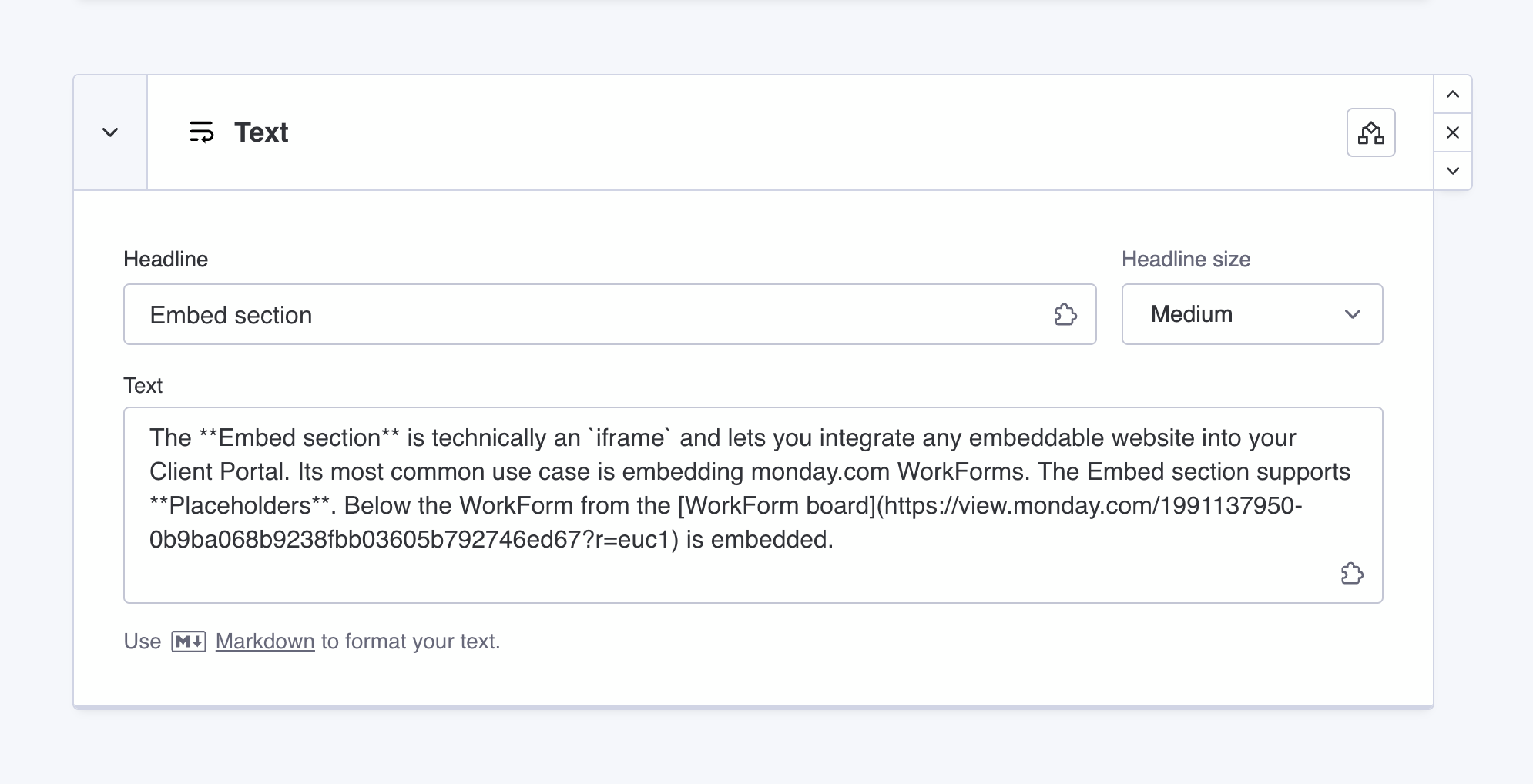
- Add a new Text or Callout section, or edit an existing one.
- Enter your content in the text field.
- Use Markdown syntax to format the text.
- Save the portal configuration.
Markdown formatting is applied automatically when the portal is rendered.
Reference
Supported Markdown syntax
The following Markdown syntax is supported in text and callout sections:
| Markdown | Result |
*Italic text* |
Italic text |
**Bold text** |
Bold text |
***Bold italic text*** |
Bold italic text |
# Heading 1 |
Heading 1 |
## Heading 2 |
Heading 2 |
### Heading 3 |
Heading 3 |
[Link](http://getgorilla.app) |
Link |
[Link](http://getgorilla.app!external) |
Link |
* List item |
|
1. List item |
|
--- |
Did you know?
Markdown formatting is applied only to the Text field in Text and Callout sections. Headlines and other structured fields are not supported.