



Build custom, structured Excel reports from monday.com board data and send them automatically to the right people on schedule.





Client Portal Admin
Client Portal Admin view
Account admins can use Client Portal Admin to manage all portals created with Client Portal Builder for monday.com, including unused test portals and disconnected setups.
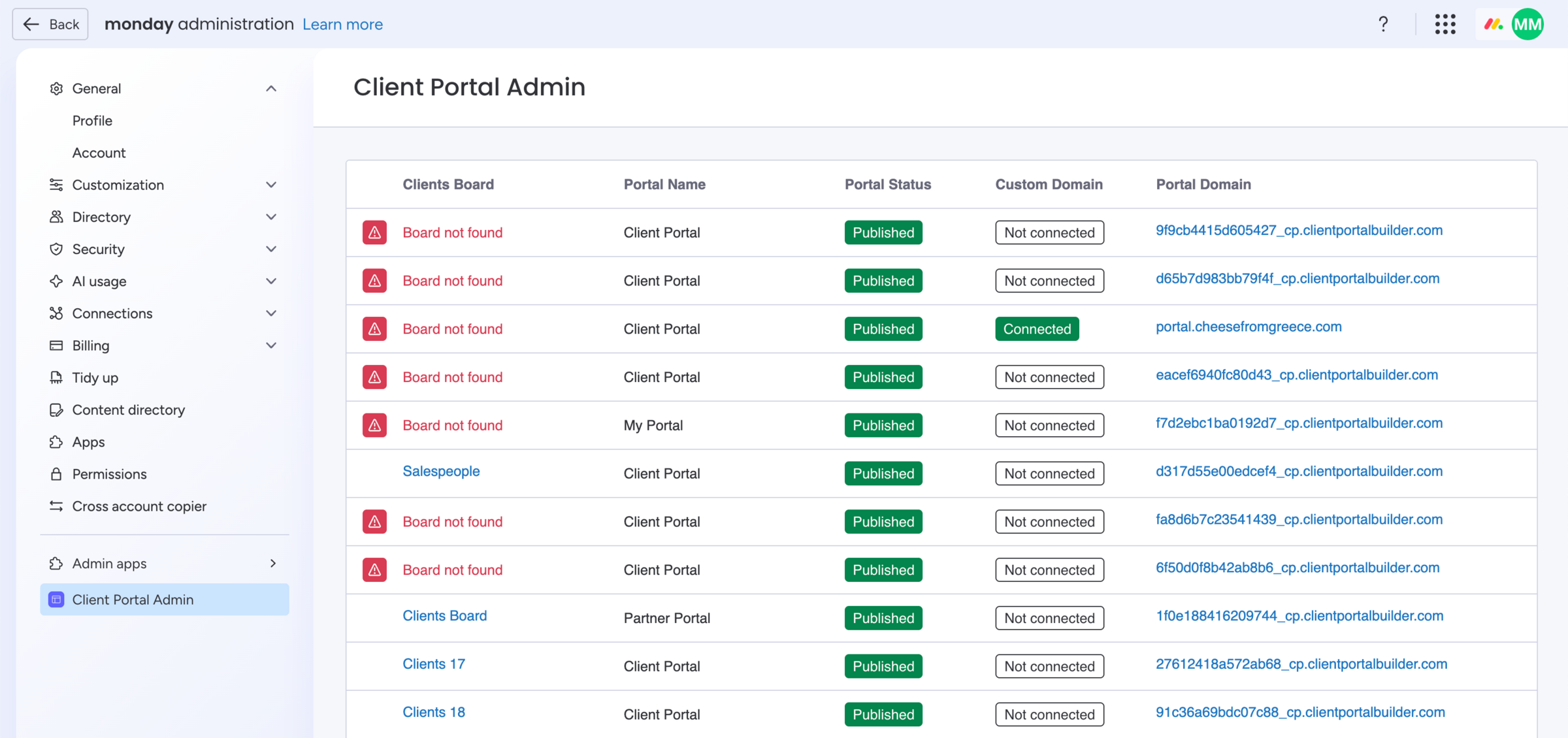
How to add the Client Portal Admin view:
- Open the account
Administrationpanel - Click
Admin appsin bottom left corner - Then click
Explore marketplace apps - Find the Client Portal Builder and add it
How to open the Client Portal Admin view:
- Open the account
Administrationpanel - Click
Admin appsin bottom left corner - Find the
Client Portal Adminview - Click to access it anytime
Did you know?
The Client Portal Admin app view is optional and can only be accessed by monday.com account admins. You can delete portals from this view, this action automatically removes all portal related settings, login methods, and any connected domain. This will not delete associated boards or app views.