



Build custom, structured Excel reports from monday.com board data and send them automatically to the right people on schedule.





Item search
Let clients search monday.com board items
Enable search in Client Portal Builder for monday.com so clients can quickly find shared items by name or supported column values.
Overview
What item search does
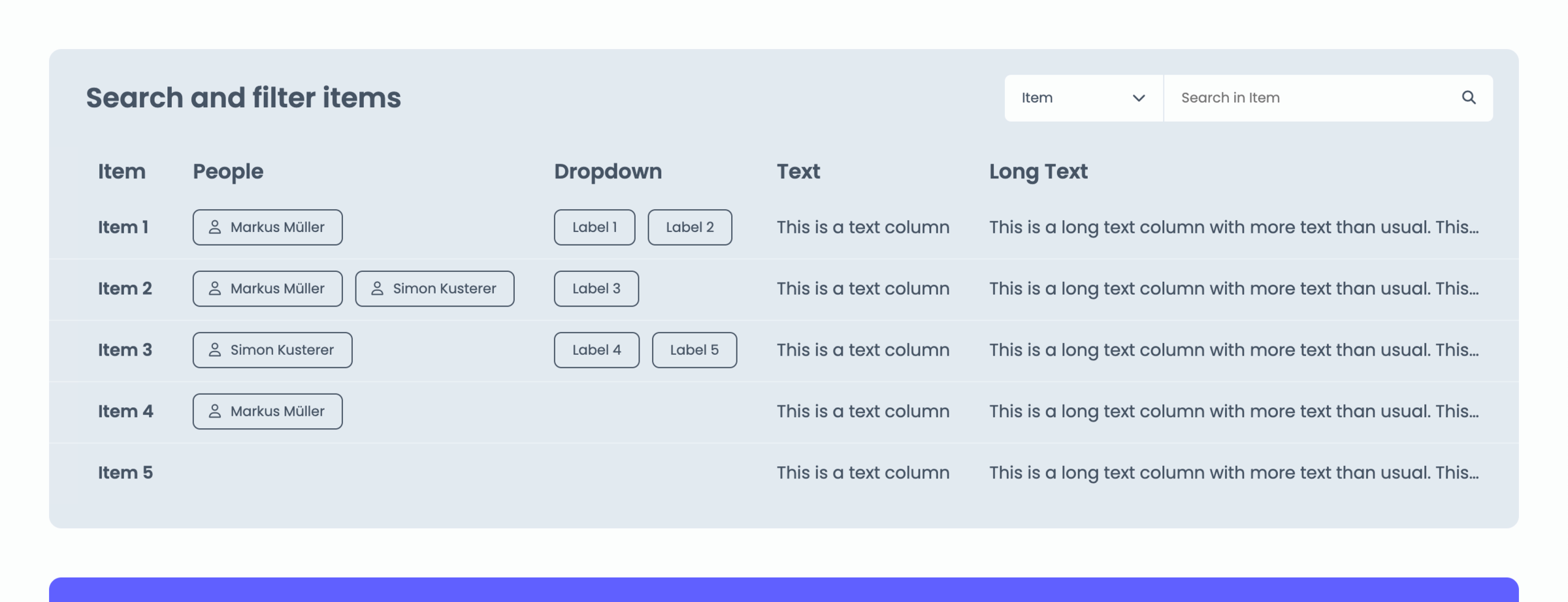
Item search allows clients to search for item names or within certain supported columns in their portal, in context of a table or grid section. Clients can quickly find items within the set of items you share with them, making this feature ideal for:
- Table and Grid sections with many items
- ID based items, e.g. Ticket ID or Order Number
Did you know?
The search feature is context related per board section, that means this is not a global search across portal pages or multiple board sections on one page.
Setup
Enable item search
To allow clients to search for items:
- Open the Builder tab within your Client Portal Builder board view.
- Navigate to the board section you want to make searchable.
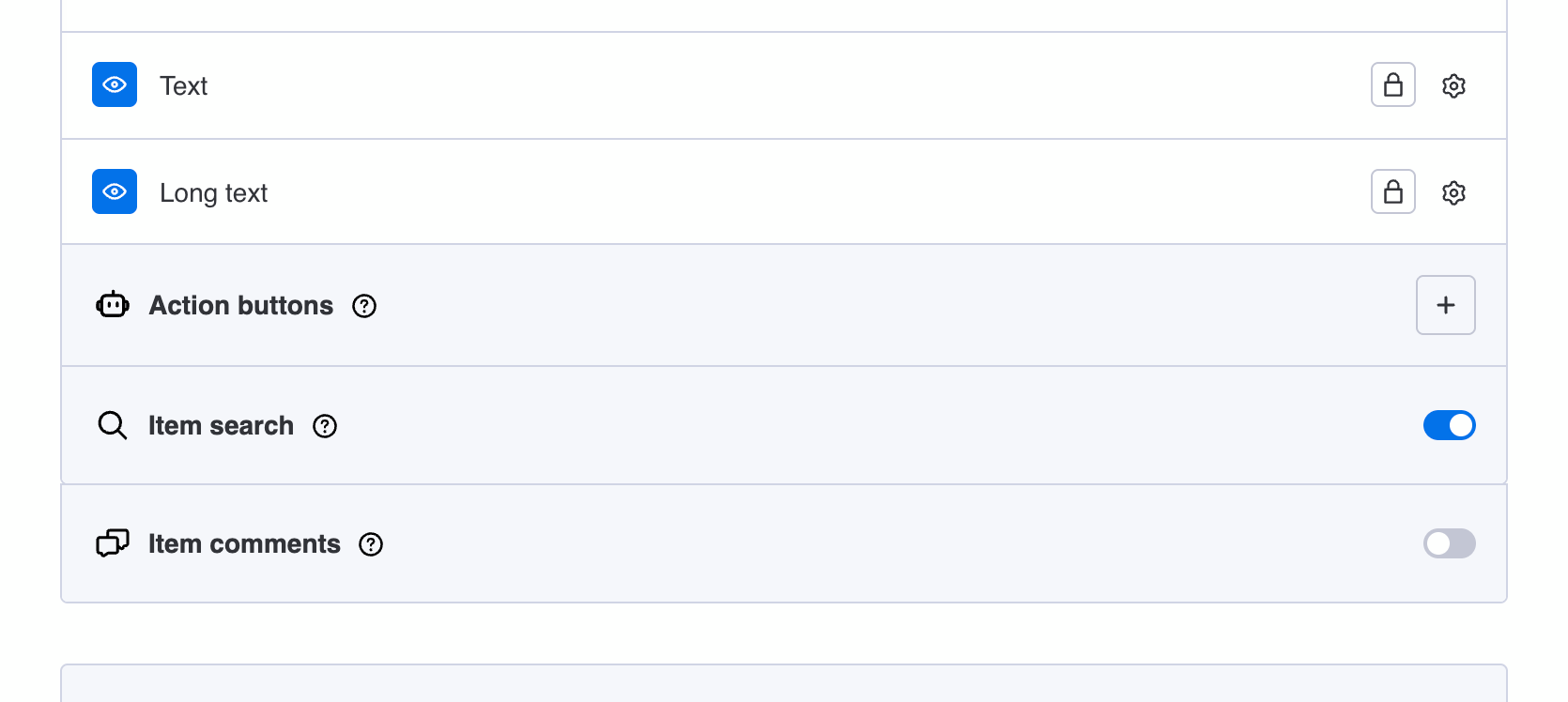
- Toggle Item search to enabled below your column settings.
- All visible and supported columns are now searchable.
- Publish your portal and let clients search for items.
Tip: If the native item terminology on your monday.com board doesn't perfectly align with what you want to face your clients with, you can easily overwrite it with a custom column name. For example, if your item terminology is Properties, but the item names reflect physical addresses, you can change it to e.g. Address for better readability in the portal.
Did you know?
You enable item search per board section, giving you control over which boards in your portal are searchable. Invisible columns are excluded from search, the other supported ones are selectable and searchable.
Limitations
Supported columns today
As of today, the following column types are supported with item search in board sections:
- Item name
- People
- Dropdown
- Text
- Long text
- Link
- Phone
- Country
Other column types and board sections may be supported in future updates. Let us know when you are keen to see a specific column type being searchable, and we will evaluate it.