



Build custom, structured Excel reports from monday.com board data and send them automatically to the right people on schedule.





Settings
Configure your client portal settings
Use Settings to manage the name, language, login experience and advanced options of your client portal, including custom domains and Google authentication.
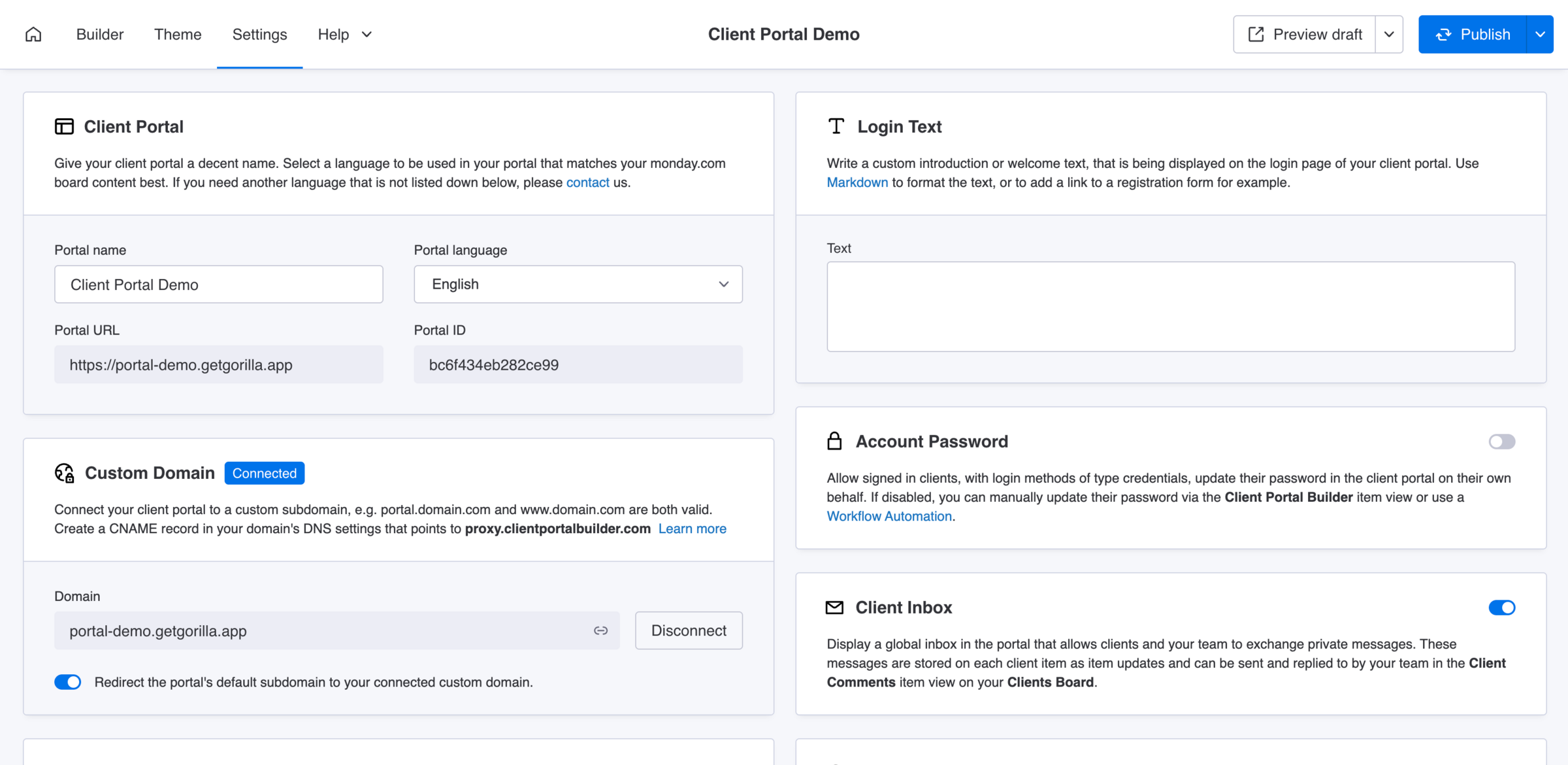
Client Portal
Update the portal name and language
Give your client portal a decent name. Select the language to be used in your portal that matches your monday.com boards content best. The portal language is applied across your portal and can't be adjusted per client.
- Portal name
20 maximum lengthMandatory - Portal language
EnglishGermanHebrew (RTL)FrenchPolishPortugueseSpanishChinese - Portal URL
Read-only - Portal ID
Read-only
Did you know?
If you need another language that is currently not supported, please contact us.
Custom Domain
Connect your own domain
Connect your client portal to a custom subdomain, e.g. portal.domain.com and www.domain.com are both valid. Learn more about How to connect your domain to your client portal on the dedicated help page.
- Domain
SubdomainOptional - Enable redirect
Optional
Cache
Improve the portal performance
When enabled, Clients Board data is cached to improve loading performance. Pages with board sections may load faster, but recent changes to the Clients Board can take up to 3 minutes to appear for clients.
- Enable
Optional
Did you know?
The preview mode for working drafts is not affected by this cache.
Portal Settings
Backup your portal settings
Export and download your client portal settings to your local computer to create a backup. Or use it to migrate settings and import them into another client portal.
- Export settings
Optional - Import settings
Optional
Did you know?
This only works for portals on the same monday.com account.
Integration User
Authorization with a monday.com user account
The Client Portal Builder app requires an assigned integration user to fetch and modify board data from across your monday.com account. This integration user must be the board owner of the Clients Board and must always stay active on the monday.com account.
- Assigned user
Mandatory - Authorize
Critical
Important
Commonly the integration user needs only to be changed, when the related monday.com user account is planned to be deleted. Otherwise it's recommended to keep this as is to avoid any interferences.
Login Text
Display custom text on the login page
Write a custom introduction or welcome text, that is being displayed on the login page of your client portal. Use Markdown to format the text, or to add a link to a registration or reset password form for example.
- Text
MarkdownOptional
Password Update
Let clients update their login method password
Allow signed in clients, with login methods of type credentials, update their password in the client portal on their own behalf. If disabled, you can manually update their password via the Client Settings item view or use a Workflow Automation to reset the password.
- Enable
Optional
Client Inbox
Globally exchange messages with clients
Display a global inbox in the portal that allows clients and your team to exchange private messages. These messages are stored on each client item as item updates and can be sent and replied to by your team in the Client Comments item view on your Clients Board. Learn more about How to set up the Client Inbox in your client portal on the dedicated help page.
- Enable
Optional
Google Authentication
Let clients sign in to the portal with Gmail
Enable Google authentication for your Client Portal, making it possible for your clients to sign in with their Google account instead of credentials. It is mandatory to have a custom domain connected to your client portal. Learn more about How to set up Google Authentication in your client portal on the dedicated help page.
- Enable
Optional - OAuth client ID
Mandatory
Important
An advanced setup on the Google Cloud platform is required. Learn how to set it up here.
Google Analytics
Connect Google Analytics to your portal
Enable Google Analytics in your Client Portal by pasting your GA4 ID down below. Start tracking user interactions and gain insights into user behavior. Be aware, using this option likely involves third party cookies.
- Measurement ID
Optional
Automatic Mismatch Handling
Resolve mismatches with dedicated boards
When using the Show each client their own dedicated and assigned board option and any involved boards change after setup, such as adding new columns, this option attempts to automatically map columns between Template boards and Dedicated client boards based on their names and types, helping resolve structural mismatches.
- Enable
Optional