
Build custom, structured Excel reports from monday.com board data and send them automatically to the right people on schedule.





Client requests
Let clients submit and track
requests in monday.com
client portals
Give clients one place to submit requests, follow progress and
provide additional information while your team manages
the full workflow internally in monday.com.
Want to see it in action?
Explore demo portals
Client request experience
Give clients one place to submit and follow requests
Keep new requests, status updates and follow-up information connected to the right
monday.com workflow while your team continues managing the full process internally.
Submit
Send new requests
Give clients a place to submit new requests with forms without relying on email or disconnected tools.
Track
Follow request progress
Let clients see the current status of open requests and understand how they are moving forward.
Update
Provide follow-ups
Allow clients to add details, files or updates when your team needs more information to continue.
Connected workflow
Keep monday.com internal and give clients their own request view
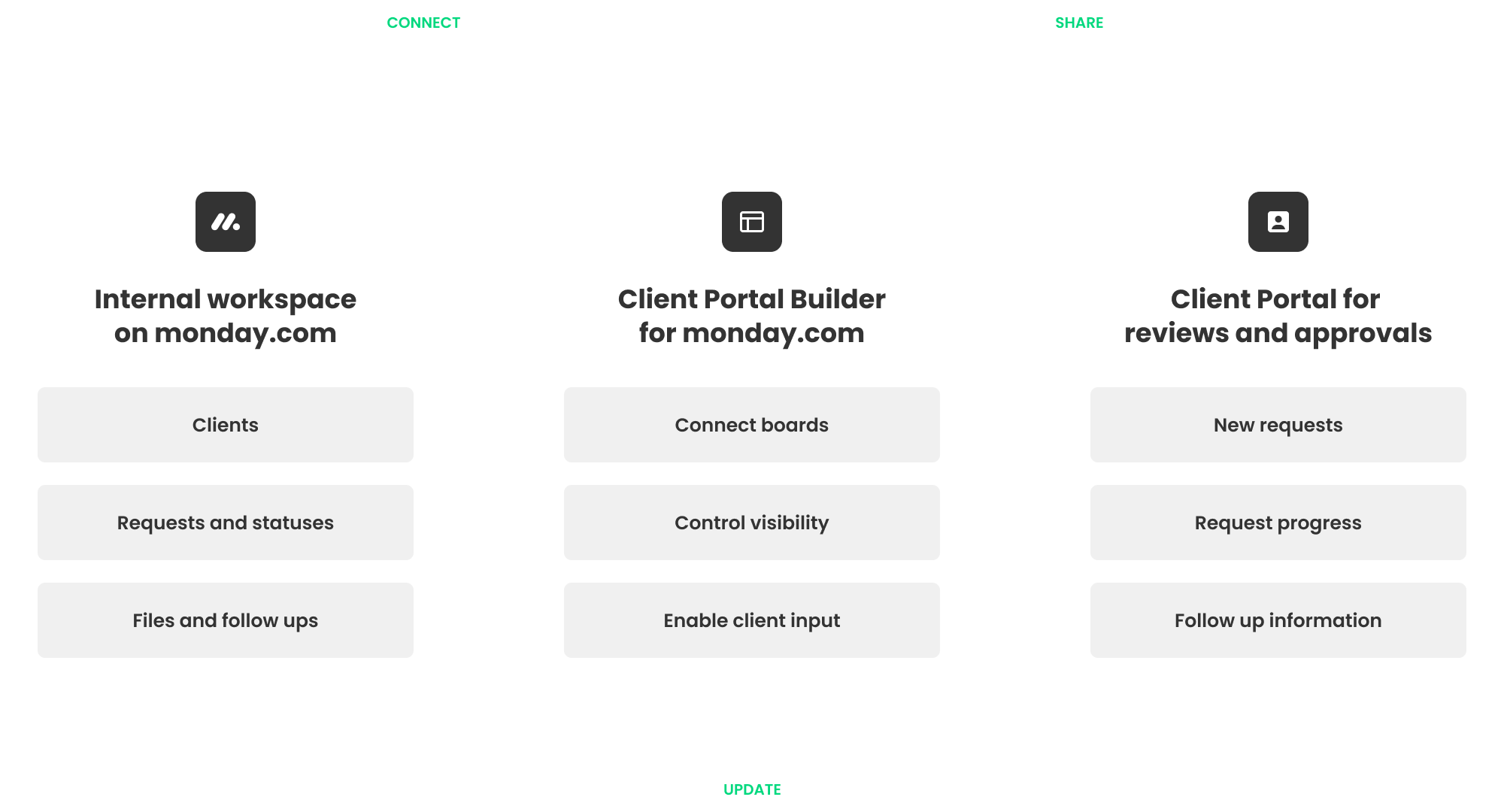
Your team continues managing requests, statuses and follow-up work in monday.com. Client Portal Builder for monday.com turns the relevant request information into a separate client experience where clients can submit new requests and follow progress without accessing your internal boards.
Client request examples
Useful for teams managing ongoing client requests
Use Client Portal Builder with workflows managed in monday work management, monday CRM, monday dev or monday service to let clients submit requests, follow progress and provide additional information.
 |
 |
 |
 |
Let clients submit new work, campaign changes or content requests and follow progress through the portal.
Let applicants submit missing information or additional requests as their case progresses.
Give clients one place to submit service requests, provide details and track open work.
Collect project changes, site requests or additional client input without relying on email threads.
Collect new tasks, questions or change requests and keep clients informed as your team works through them.
Collect client questions, document requests and follow-up tasks through a structured portal workflow.
How it works
Build the request experience around
your existing monday.com workflow
1. Connect client request data
Use the boards that already contain client requests, statuses, files and follow-up information.
2. Control what clients see
Choose which requests, fields and actions each client can access through their portal.
3. Keep requests moving
Let clients submit new requests, provide additional information and follow progress.

External client access
When sharing request boards with clients is not enough
Shareable Boards and other monday.com collaboration options can work well when clients should participate directly in a board inside your workspace. A dedicated client portal is useful when clients should instead see a simpler request experience containing only their own requests, statuses and actions.
Separate client experience
Keep your internal workspace internal
Give clients a dedicated request view without requiring them to navigate the boards your team uses internally.
Client specific information
Show each client only their own requests
Connect portal content to individual clients so they only see the requests and information relevant to them.
Connected workflows
Keep request data connected
Bring request statuses, files, updates and follow-up information together while your team manages the workflow internally.
No monday.com accounts
Give clients separate portal access
Clients can sign in to their portal without becoming users of your monday.com account or accessing your workspace.
Beyond client requests
Support the wider client workflow in one portal
Client requests can be part of a broader self-service client portal experience where clients follow progress, access documents, provide feedback and take action throughout the relationship.
Keep clients informed about progress, milestones and deliverables alongside their open requests.
Share relevant files and collect supporting documents without moving the workflow outside monday.com.
Keep questions, updates and request-related conversations connected to the work.
Give clients a clear place to review work, provide feedback and approve or request changes when needed.
Example
Turn a monday.com request workflow
into a client request portal
See how client requests and statuses managed in monday.com can be
turned into a focused portal where clients submit new requests,
follow progress and provide additional information.


Questions and answers
Frequently asked questions for client request portals with monday.com
Learn how Client Portal Builder helps clients submit requests, follow progress and provide additional information while your team manages the full workflow in monday.com.
-
Yes. Clients can submit new requests through a separate portal without accessing your internal monday.com workspace.
-
Can clients track the status of their requests?
Yes. You can show open and completed requests together with relevant statuses and updates in the portal.
-
Can clients provide additional information after submitting a request?
Yes. Clients can update selected information, upload files and provide follow-up details when your team needs more input.
-
Can each client see only their own requests?
Yes. Portal content can be connected to individual clients so each client only sees the requests and information relevant to them.
-
Can request submissions create items in monday.com?
Yes. New client requests can be connected to monday.com workflows so your team can manage the resulting work internally.
-
Do clients need a monday.com account?
No. Clients can access the portal separately without becoming users of your monday.com account.
Client Portal Builder for monday.com
Create a client request portal with monday.com
Give clients one place to submit requests, follow progress and provide additional information while your team continues managing the full workflow in monday.com.